
AI Interior Design for Bedrooms: Redesign Your Room for Rest From One Photo
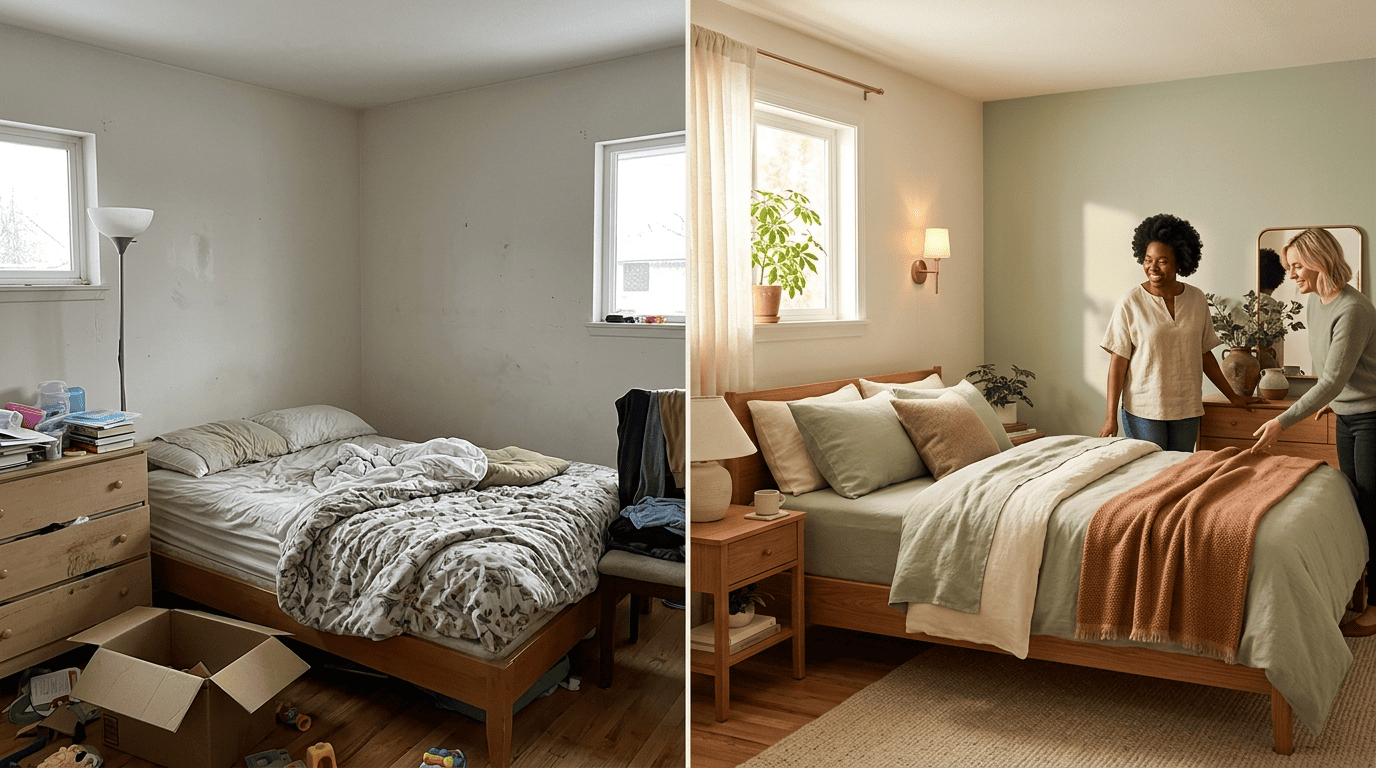
Your bedroom is the one room that should feel calm the moment you walk in — but styling it for real rest is harder than it looks. AI interior design lets you upload a single photo of your bedroom and see it reimagined in a soothing new style, palette, and layout in seconds, long before you buy a new bed or repaint a wall.
This guide covers what AI can and can’t do for a bedroom, how it works, and how to move from a cluttered or dated room to a warm, restful space that actually helps you unwind.
Can AI Design a Bedroom?
Short answer: yes — for ideas, styling, and visualization, though not for the final purchase or build.
What AI does well
AI redesigns a bedroom from a photo in seconds, and some tools render in as little as 5-10 seconds, producing photorealistic before-and-after concepts. Adoption is real: one room-design tool reports over 4 million users, and another cites 2.1M+ users and 30M+ generated designs across 185+ countries. For a bedroom specifically, a generative tool typically handles:
- Style swaps — the same room reimagined as Scandinavian, Japandi, or coastal without moving a wall.
- Wall color testing — previewing a calmer paint or accent color before buying a can.
- Bedding and furniture restyling — swapping a dated headboard or comforter for pieces that match a new, restful direction.
- Virtual staging — dressing an empty or half-furnished bedroom fully, useful for listings.
Where a human still wins
AI generates concepts, not a shopping list or construction plan. It won’t guarantee a bed fits your wall to the inch or handle wiring and built-ins. Use it to explore restful directions fast, then refine the winner. Think of an AI interior designer as an always-on idea partner, not a contractor.
How AI Bedroom Design Works
Getting a good render starts with the AI reading your room correctly before it generates anything new.
From photo to render
You upload a photo; the AI reads the room’s dimensions, layout, and lighting, then regenerates the scene in your chosen style while keeping walls and windows in place. These tools run on generative AI diffusion models trained on millions of interior images.
Getting a clean input
The best input is a corner-of-the-room photo taken in good light — it gives the AI the most context (two walls, the bed, the window) to work from. A dim, cropped, or heavily angled shot gives the model less to work with, and the render usually shows it.
Step-by-Step: Redesign Your Bedroom With AI
Once you have a usable photo, the actual redesign takes three steps.

- Upload a clear photo of the bedroom in daylight (JPG/PNG works; shoot a corner so two walls show).
- Pick a style and intent — restyle the existing room, furnish an empty one, or stage it for a listing.
- Generate and compare several restful options, then download or iterate on the one that feels calmest.
Tips for realistic results
A few habits separate a convincing render from a muddled one:
- Declutter the room before you shoot.
- Describe what to keep — «keep the window, add warm oak nightstands.»
- Generate a few variations rather than settling on the first result.
- Compare them side by side before picking a direction to refine.
The first render is a starting point, not the final answer.
Restful Bedroom Styles AI Can Apply
Calming directions
For bedrooms the most restful looks are soft and layered: Scandinavian (light oak, soft neutrals), Japandi and Zen (minimalist warm wood and muted green), coastal, and boho. Tools offer anywhere from 8 to 60-plus styles, so it’s easy to compare a few before committing.
| Style | Signature colors | Feels best in |
|---|---|---|
| Scandinavian | Light oak, white, soft gray | Small or dim bedrooms |
| Japandi / Zen | Warm wood, charcoal, muted green | Minimal, low-clutter rooms |
| Coastal | Sandy neutrals, ocean blue, white | Bright, sun-facing bedrooms |
| Boho | Terracotta, rattan, warm cream | Rooms with layered textiles |
Designing for rest, not just looks
The best bedroom design starts from the room’s purpose: calm colors and soft materials that help you wind down. Generate the same room in a few restful styles and compare which one actually feels most soothing, rather than just which one looks best in a thumbnail.
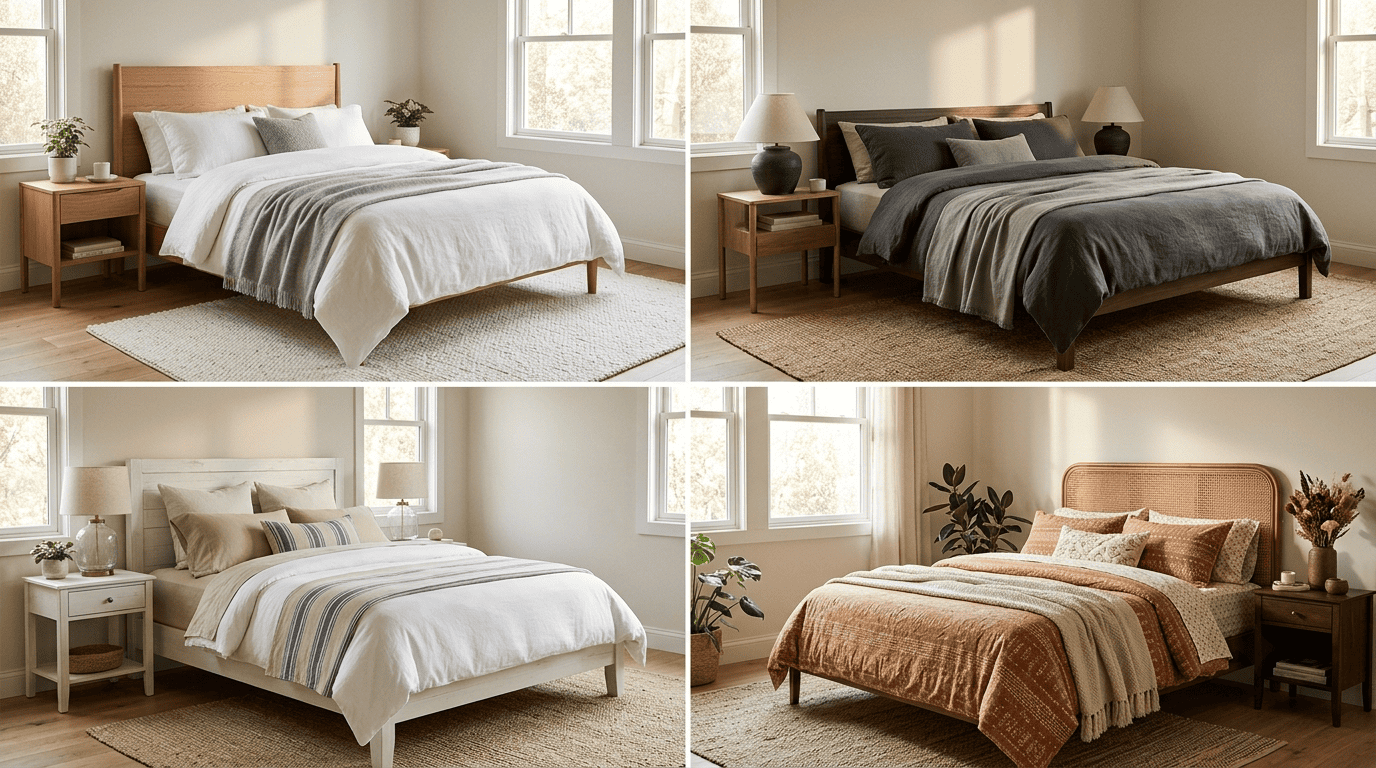
Once the style is settled, the finer choices — color, light, and materials — are what actually make the room feel restful.
Calming Color, Light, and Materials
A restful bedroom leans as much on color and light as it does on furniture.
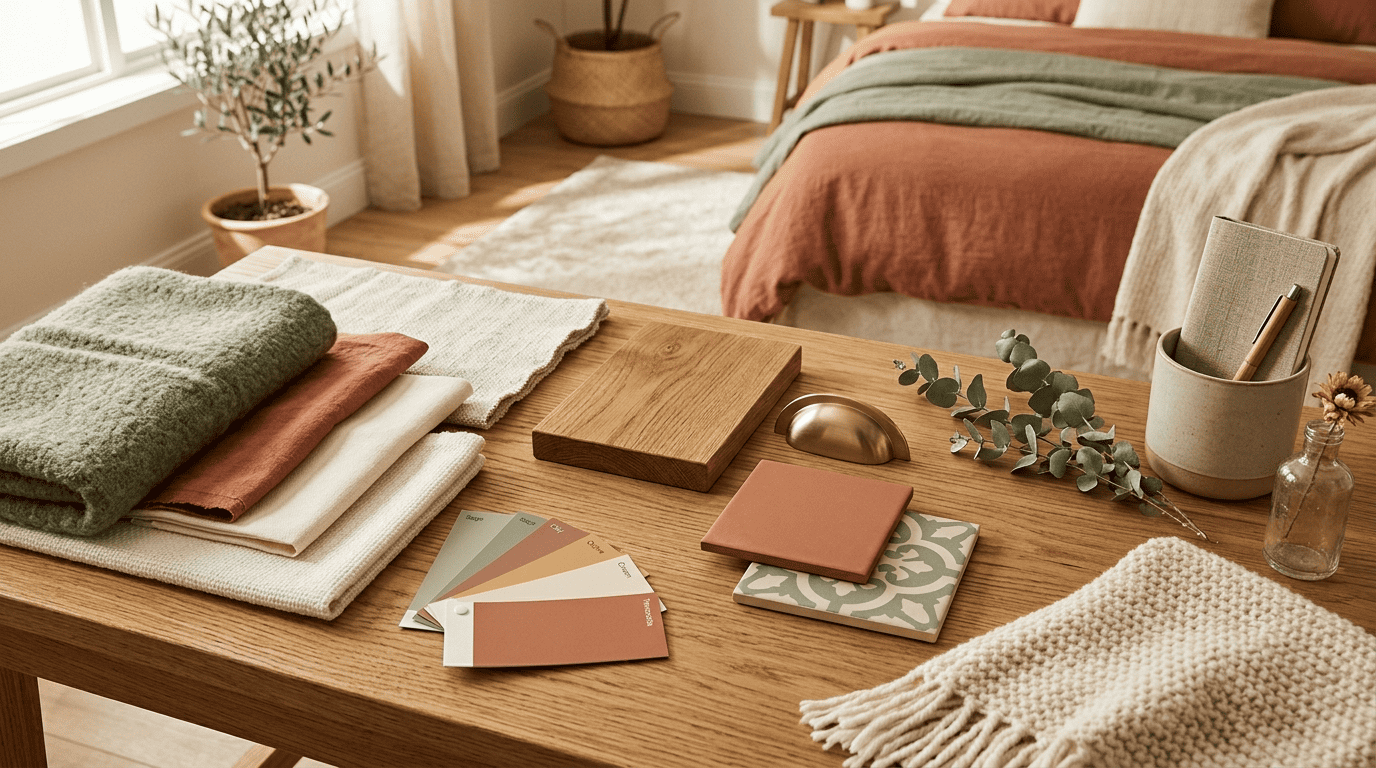
Building a restful palette. AI can propose a cohesive color scheme for walls, bedding, and textiles — soft, earthy tones like warm neutrals, sage, and terracotta over natural oak read especially calming in a bedroom.
Layered, low lighting. Lighting sets a bedroom’s mood more than anything else in the room. Ask for warm, layered, low lighting and generate a few time-of-day versions so you can judge how the room actually feels at bedtime, not just at noon:
- Daylight — for judging the base palette and materials.
- Warm — softer, amber-toned light for evening.
- Ambient — diffuse, shadowless light for a calm baseline.
- Twilight — dim, low-contrast light closest to how the room feels at bedtime.
Comparing the same render across a couple of these modes is a quick way to catch a color that looks calm at noon but turns cold and sterile after dark.
My bedroom is my sanctuary. It’s like a refuge, and it’s where I do a fair amount of designing — at least conceptually, if not literally.
Vera Wang
That’s the standard worth designing toward: a bedroom that reads as a refuge in its own right, not just a bedroom-shaped extension of the rest of the house.
Furniture Layout and Small-Bedroom Storage
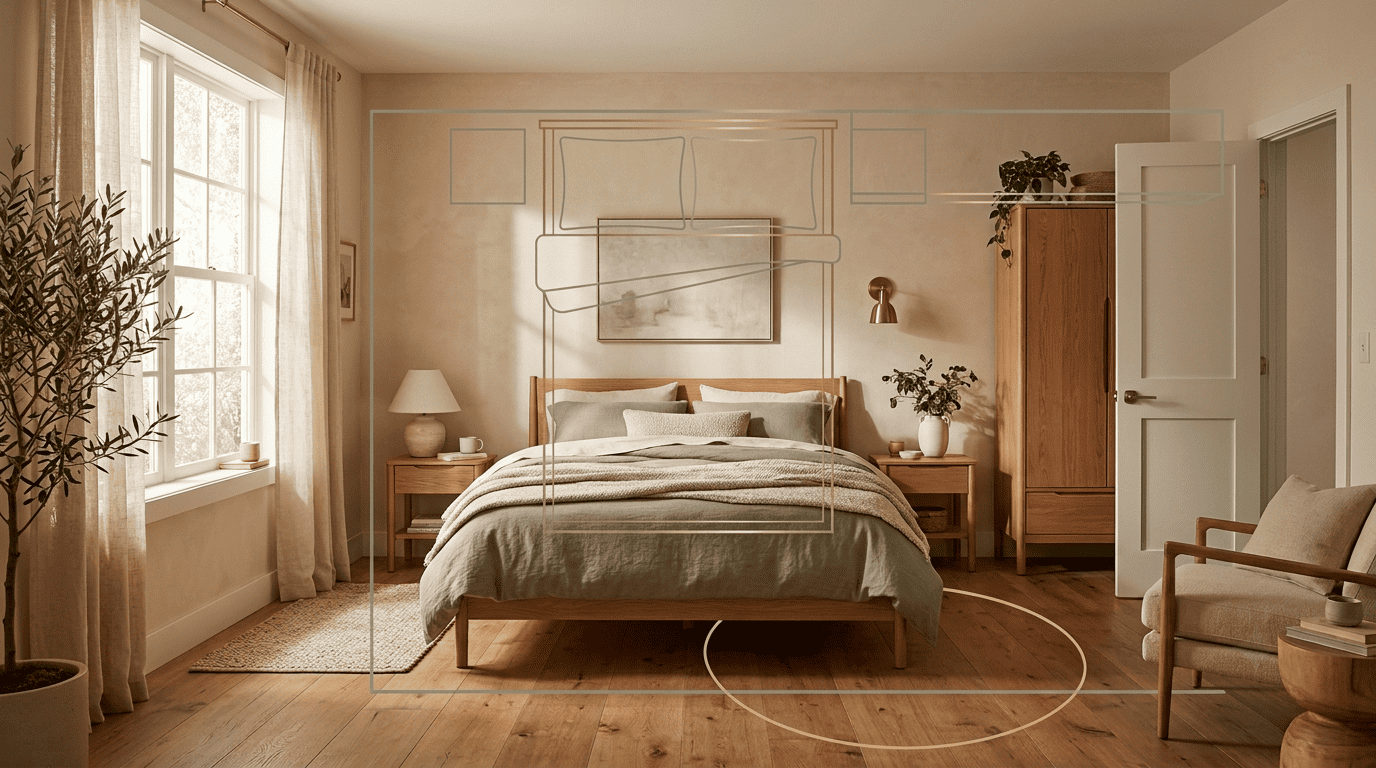
Arranging the room
Beyond looks, AI can suggest where the bed, nightstands, and wardrobe should go so the room flows — part of interior design known as space planning, tuned to your room’s real dimensions rather than a generic template.
Small and awkward bedrooms
For small, narrow, or attic bedrooms, generate a few layouts to see how smart storage and zoning open up the space before you commit to buying anything:
- A reading corner tucked into an unused wall.
- A built-in or slimline wardrobe instead of a freestanding one.
- Under-bed storage for linens and off-season clothes.
- Floating shelves instead of a bulky dresser.
Free vs. Paid AI Bedroom Design Tools
Many tools let you start free with no credit card — a few designs or daily credits at full quality — enough to test the idea on your own bedroom before deciding whether it’s worth paying for.
Paid plans, roughly $20-$100 per month or credit-based, unlock unlimited generations, higher resolution, batch staging, and commercial rights. For homeowners exploring ideas rather than running a business on the renders, free is usually plenty.
| Free tier | Paid tier | |
|---|---|---|
| Cost | $0, no card required | Monthly or credit-based |
| Generations | Limited (few designs or daily credits) | Unlimited or high-volume |
| Resolution | Standard | Higher, some up to 8K |
| Commercial use | Usually not included | Included |
FAQ
Exploring more of your home? See our guides on kitchen design and interior design styles.