
AI Interior Design Styles: The Complete Guide to Every Look AI Can Render
AI tools can now render a room in dozens of named interior design styles — from Modern to Japandi — with several vendors advertising renders in roughly 15 to 30 seconds from a single photo. That speed is the whole promise of AI interior design: pick a style, upload a photo, and the software reworks the room while keeping its real layout intact. The idea itself borrows directly from the professional field of interior design, which has organized color, form, and materials into named styles for well over a century.
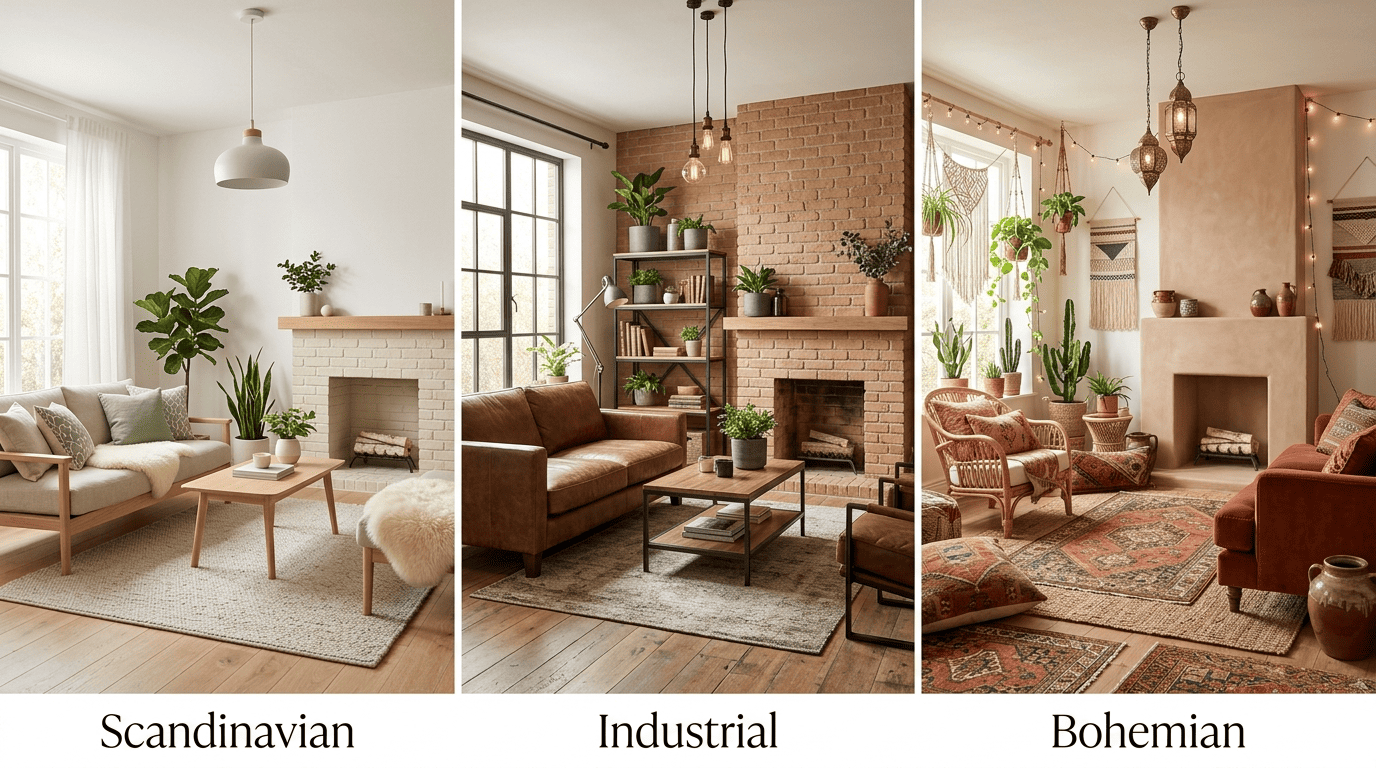
You pick a style from a library that tools advertise as ranging from about 30 to more than 80 (some claim 150+) options depending on the tool, and the AI applies it to your actual room through a process called style transfer. This guide maps out the styles themselves — what makes each one recognizable — and explains how AI reproduces them on a real photo of your space.
What «Interior Design Style» Means in an AI Tool
An interior design style is a repeatable visual language, not a random look. AI tools treat each style as a fixed set of rules covering shapes, materials, palette, and lighting, which is why the same style preset produces a recognizably consistent result across completely different rooms.
A style is a consistent visual language
A style is a consistent set of forms, materials, palette, and mood — clean lines plus a neutral palette read as Modern, while warm wood and soft textiles read as something else entirely. Interior design as a discipline formalizes exactly this kind of decision-making, covering how space, color, and furnishing choices work together inside a room; see the overview of interior design on Wikipedia for how the field defines the practice. An AI interior design generator stores each named look as a preset — a bundle of visual rules it applies consistently every time that style is selected, regardless of the room’s starting condition. In practice, that preset encodes:
- Form — the silhouette and lines of furniture (straight and flat-panel vs. curved and organic)
- Material — what surfaces are made of (light wood, brick, brass, linen, concrete)
- Palette — the color range the AI is allowed to pull from
- Lighting mood — how warm, cool, bright, or dim the render should feel
How the AI applies a style (style transfer)
AI interior design requires two inputs: a photo of the room and a chosen style. Once you upload the photo and pick a preset, the AI uses style transfer to repaint surfaces, swap furniture, and adjust lighting and decor to match that style’s rules — while keeping the room’s actual geometry (walls, windows, doors) intact. Vendor-advertised render times cluster in a fairly narrow band across tools:
- mnml.ai — advertises about 15 seconds per style
- Dehome — advertises 5 to 10 seconds per style
- Interior AI, Decor8 AI, and Canva — typically advertise 15 to 30 seconds per style
- Multi-style batches (Interior AI advertises up to 16 variants from one photo) take longer overall, since each variant still renders separately
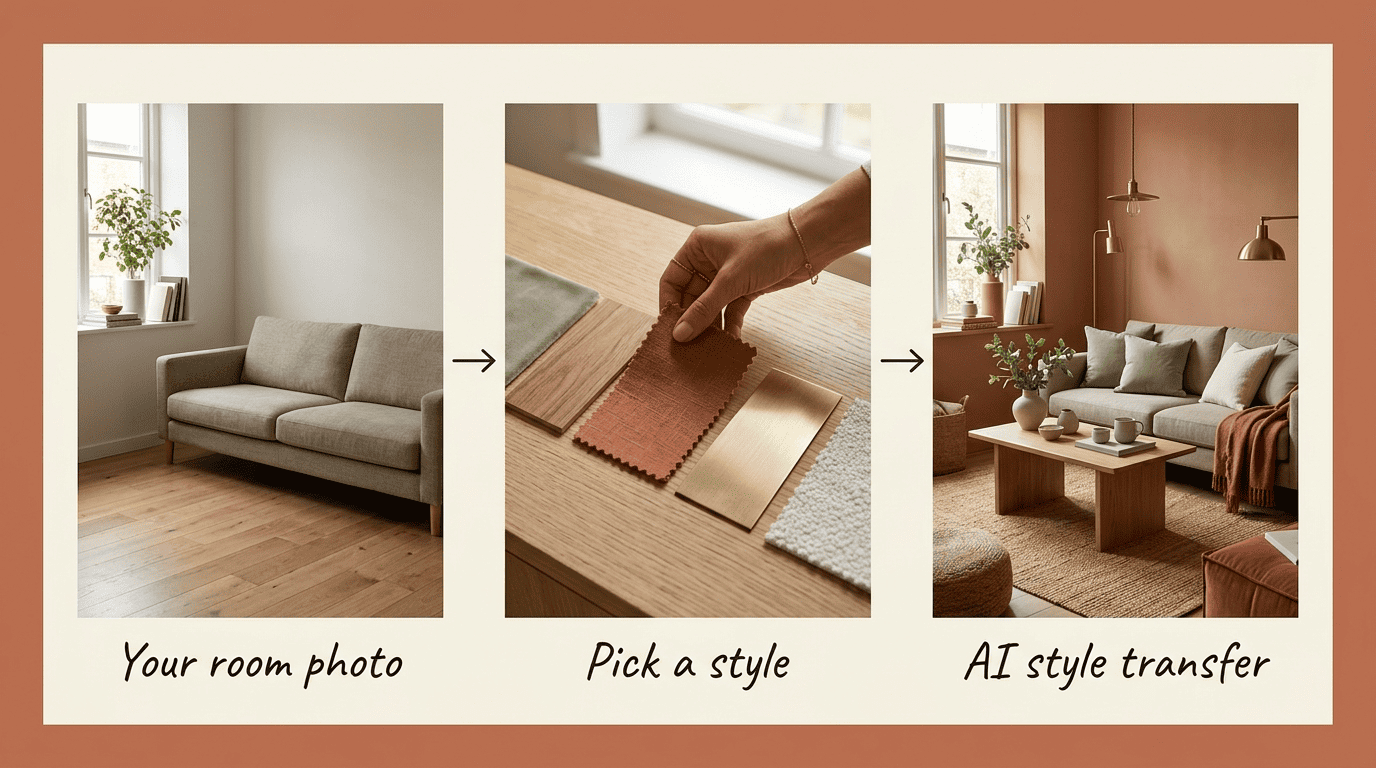
Style libraries also vary widely by vendor claim — Interior AI’s own materials cite figures anywhere from 30+ to around 55 styles, Decor8 AI advertises 56+, HomeDesignsAI’s stated count ranges from 80+ up to 160+ depending on the source, and Canva’s AI interior design tool advertises 30+. These are marketing figures set by each company and can change without notice, so treat them as approximate.
How Many Styles Do AI Interior Design Tools Offer?
The number of styles on offer says less about quality than it seems to. Some tools ship a tight, curated list; others pack in dozens of niche and seasonal variants to look comprehensive. The counts below are vendor-advertised marketing figures, not an independent audit — they vary by source and change as tools update their libraries.
| Tool | Approx. style count (as advertised) |
|---|---|
| Interior AI | around 50-55 |
| Decor8 AI | 56+ |
| HomeDesignsAI | 80+ (some marketing pages claim 160+) |
| Canva AI Interior Design | 30+ |
| mnml.ai | 20+ |
| Dehome | 8 curated styles in its main room decorator (40+ across the full platform) |
More styles is not automatically better. A basic set of around 12 well-defined styles covers nearly every practical request a homeowner or renter has. The long tail of exotic presets — think Cyberpunk, Baroque, or Halloween — is mostly novelty; useful for one-off fun, rarely for planning an actual renovation.
The 12 Core Interior Design Styles AI Renders Best
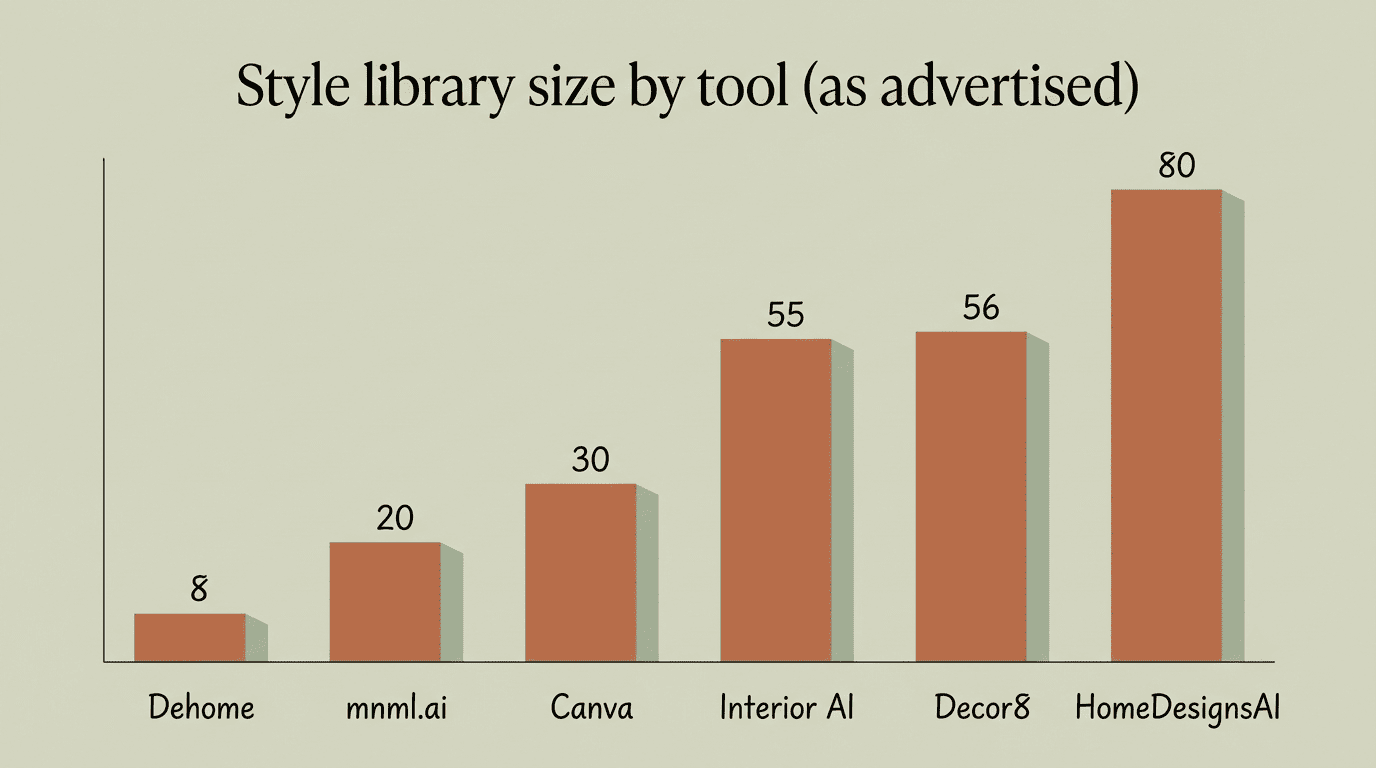
These twelve styles form the backbone of almost every AI interior design library, and they cover the overwhelming majority of real search intent behind «interior design style» queries. Below is a fast reference to each style’s signature elements.
| Style | Signature elements |
|---|---|
| Modern | Clean lines, neutral palette, flat-panel furniture |
| Contemporary | Curved forms, mixed materials, «current» trends |
| Scandinavian | Light wood, white walls, hygge-driven comfort |
| Japandi | Japanese + Scandinavian blend, warm minimalism |
| Minimalist | Empty surfaces, monochrome palette |
| Mid-Century Modern | Organic curves, teak wood, tapered legs |
| Industrial | Exposed brick/metal, concrete, matte-black fixtures |
| Farmhouse | Shaker fronts, apron sink, warm wood |
| Bohemian | Layered textures, plants, eclectic warmth |
| Coastal | Light palette, natural fibers, blue-and-sand tones |
| Traditional | Symmetry, rich fabrics, dark wood, antiques |
| Art Deco | Bold geometry, brass and gold, lacquered surfaces |
Modern & Contemporary
Modern is a specific, historically rooted look: clean lines, a neutral palette, minimal ornament, and flat-panel furniture with little embellishment. Contemporary is different — it means «whatever reads as current right now,» which in practice is softer and warmer than Modern, with curved forms and mixed materials like wood alongside metal or stone. The distinction between Modern and Contemporary is one of the most common points of confusion for anyone browsing an AI style library for the first time.
Scandinavian & Japandi
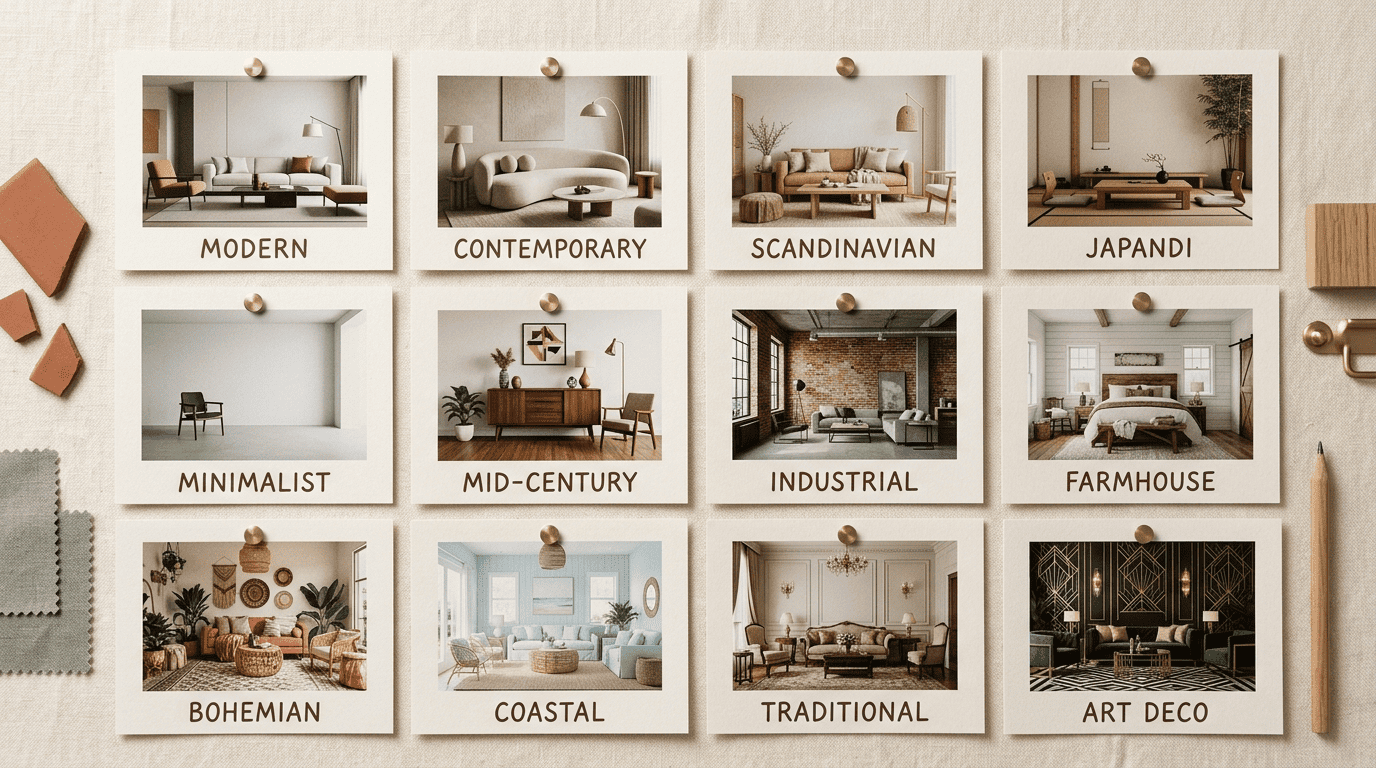
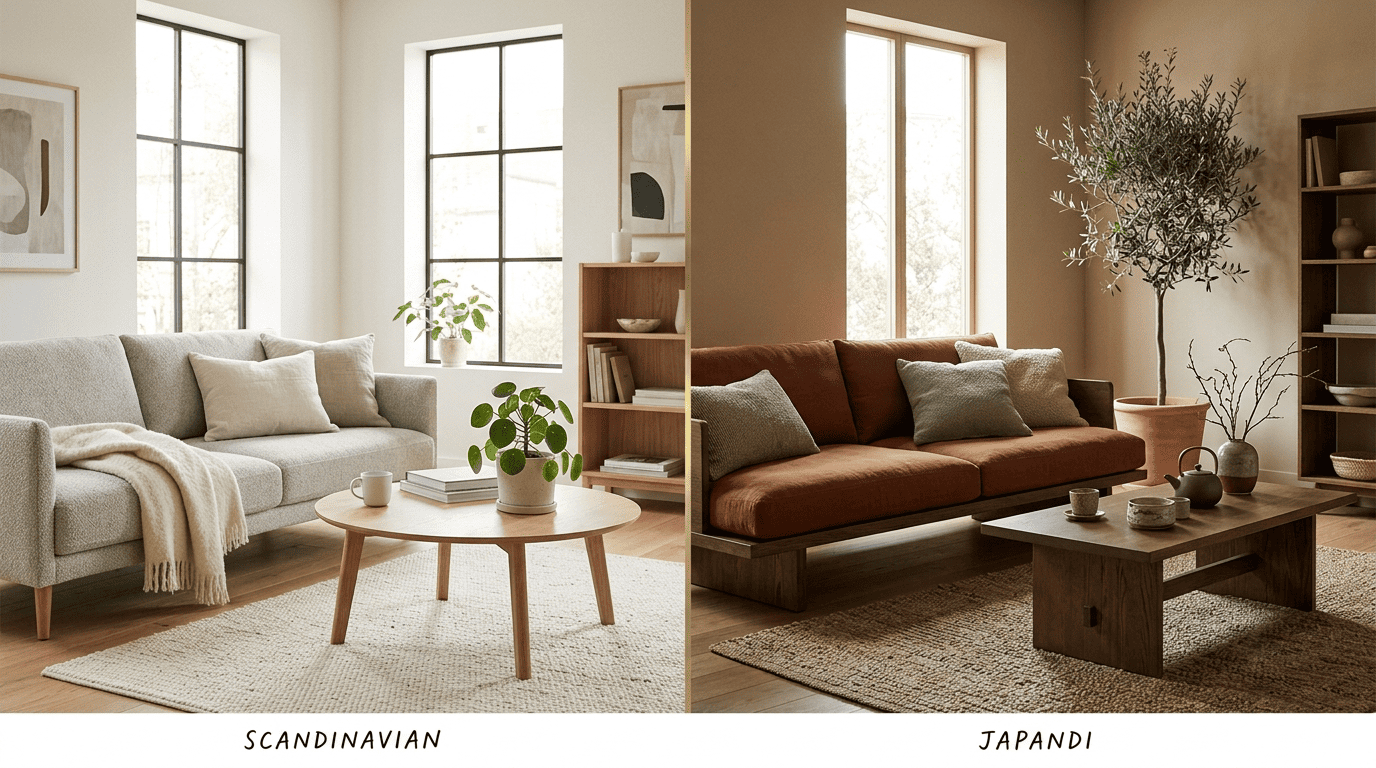
Scandinavian design favors light wood, white walls, and functional simplicity built around comfort — the Nordic idea of hygge sits at its core. The style has a long design lineage; see Scandinavian design on Wikipedia for its origins in Nordic modernism. Japandi is a hybrid style — a blend of Japanese and Scandinavian aesthetics — that pairs warm minimalism with natural materials and a muted, earthy palette, avoiding the stark coldness that pure minimalism can produce.
Minimalist & Mid-Century Modern
Minimalist design runs on the principle that less is more: empty surfaces, a tight monochrome or near-monochrome palette, and almost no decorative clutter. Mid-Century Modern is a specific movement rooted in the middle of the 20th century, marked by organic curved forms, teak wood, tapered conical legs, and a distinct retro color palette; the Mid-century modern entry on Wikipedia traces the style’s postwar origins in more depth.
Industrial & Farmhouse
- Industrial — exposed brick or metal, poured concrete, open shelving, and matte-black fixtures build a loft-style aesthetic that borrows directly from converted factory spaces.
- Farmhouse (including the Modern Farmhouse variant) — shaker-style cabinet fronts, an apron-front sink, warm wood tones, and country-inspired coziness define the look.
- Both styles read strongly in AI renders because their materials — brick, concrete, shaker wood — are visually distinctive and easy for a model to reproduce consistently.
- Farmhouse tends to test better for kitchens and dining spaces, while Industrial reads best in open-plan living areas and lofts.
Bohemian & Coastal
Bohemian, or Boho, style layers multiple textures, plants, and warm tones into a deliberately eclectic, maximalist sense of comfort — no two Boho rooms look quite the same, which makes it one of the harder styles for an AI generator to render predictably. Coastal design takes the opposite approach: a light palette, natural fibers, and a white-blue-sandy color scheme that evokes the lightness of a home near the water.
Traditional & Art Deco
Traditional interiors are classically symmetrical, built around rich fabrics, dark wood furniture, and antique pieces — a look that has stayed remarkably stable across decades of AI style libraries. Art Deco is the opposite instinct: bold geometry, brass and gold accents, lacquered surfaces, and the glamour associated with the 1920s. The Art Deco movement’s Wikipedia entry documents how the style spread from architecture into furniture and interiors during that decade.
Beyond the Basics: Niche & Blended Styles
Once you move past the 12 core styles, AI libraries branch into niche and blended looks that some tools support and others skip entirely. Interior AI, mnml.ai, and HomeDesignsAI are among the tools that push furthest into this territory, adding presets that smaller libraries like Dehome’s simply don’t carry.
Mediterranean, Rustic, Biophilic, Maximalist, Wabi-sabi
Mediterranean leans on terracotta tones, arched openings, and warm natural stone, evoking coastal Southern Europe rather than the beach-house lightness of Coastal style. Rustic favors rough-hewn, unfinished wood and an emphasis on natural texture over polish. Biophilic design centers on plants, natural light, and a visible connection to the outdoors — it’s less about furniture shape and more about how the room relates to nature. Maximalist flips the minimalist rule on its head: more color, more pattern, more layered objects, deliberately. Wabi-sabi finds beauty in imperfection, favoring a muted, weathered palette over anything polished or symmetrical. None of these five appear in every library — they show up most reliably in the larger, more experimental style collections rather than in stripped-down tools.
Interior designers make indoor spaces functional, safe, and beautiful by determining space requirements and selecting essential and decorative items, such as colors, lighting, and materials.
U.S. Bureau of Labor Statistics
That definition applies just as much to a style preset as it does to a professional project: a style has to hold up functionally in a real room, not just look convincing in a single generated image.
How to Pick (or Mix) a Style with AI
Choosing a style doesn’t have to mean committing blind. The fastest way to design your room with AI is to treat the style library as a set of hypotheses to test against your actual space rather than a single decision to get right on the first try.
Test several styles on the same photo
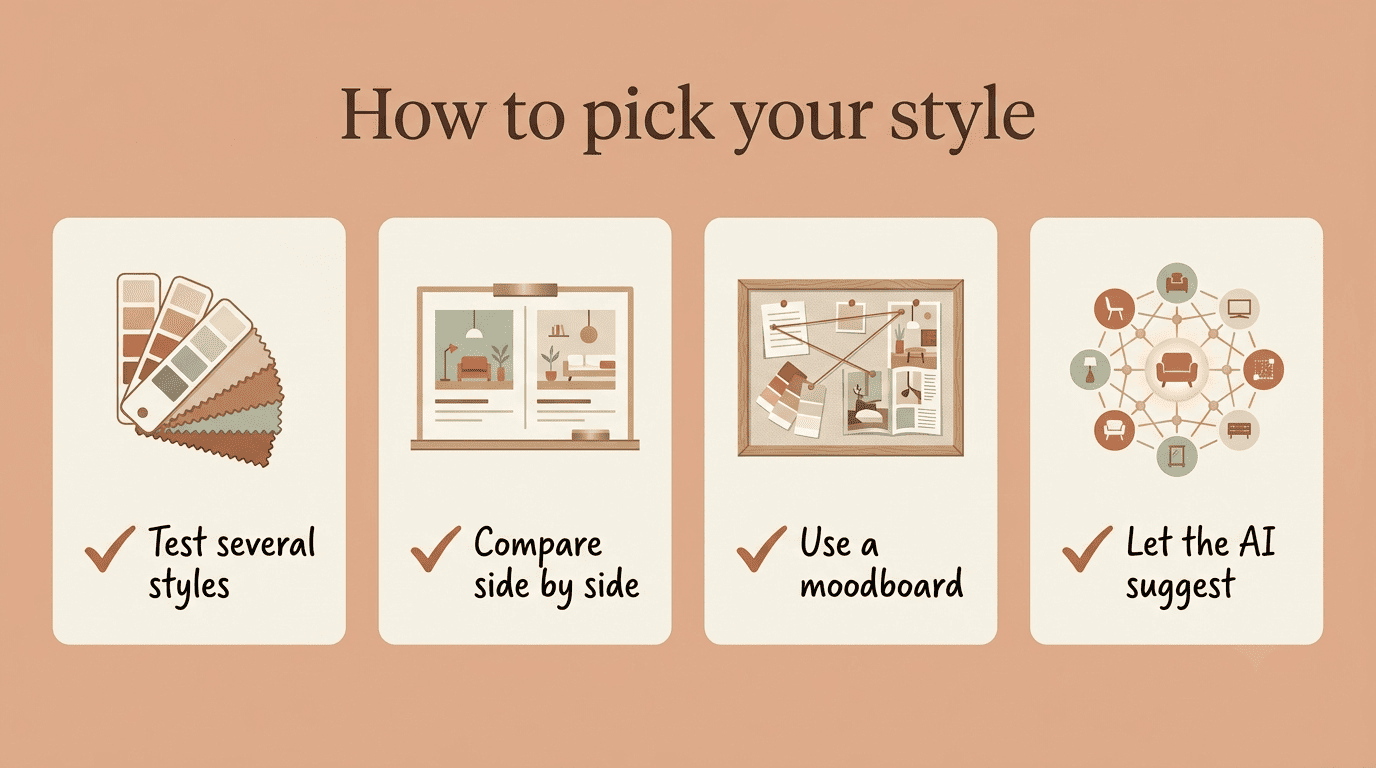
The most reliable approach is to run three or four styles on the same room photo and compare the results side by side, rather than guessing which one will suit the space from memory. Some tools push this further — Interior AI advertises generating up to 16 style variations from a single photo in one batch, which makes side-by-side comparison much easier than juggling separate uploads.
Here’s a simple workflow for testing styles before committing to one:
- Take one well-lit, straight-on photo of the room you want to redesign.
- Upload it to an AI interior designer tool and select three to four candidate styles.
- Generate all variants from the same photo so lighting and geometry stay constant.
- Compare the renders side by side rather than one at a time.
- Shortlist the two closest matches to your taste and budget.
- Generate a second round on those two styles with small preset variations.
- Save the final render as a reference for shopping furniture and paint.
Let the AI blend or recommend
When you don’t want to pick a single named style upfront, three other workflows can get you there:
- Moodboard-to-render — upload an inspiration board and the AI blends those references into one custom look
- Style transfer from a reference photo — take a style you liked from someone else’s room and apply it to yours
- AI-recommended style — let an AI interior designer suggest a style based on your stated preferences, useful when you like several looks but can’t decide between them
FAQ
Exploring more of your home? See our guides on redesigning a room from a photo and AI virtual staging.