
AI Room Redesign From a Photo: Reimagine Any Space in Seconds
Snap a picture of your living room and upload it. That single photo is all an AI room redesign tool needs to generate a styled makeover — one photo in, a photorealistic redesign out, usually in about 30 seconds, built on the same generative AI that powers today’s image tools.

This guide explains how it works, what makes a good result, which styles and rooms it handles, and where it helps most — for homeowners, renters, realtors, and designers alike.
How AI Room Redesign From a Photo Actually Works
The three-step flow
Nearly every tool follows the same path: upload a clear room photo, pick a style or describe a goal, and receive an AI-generated redesign in seconds. Decoratly reports about a 30-second render; the whole loop (drop photo ~10s, pick style ~15s, generate ~30s) takes roughly a minute. The steps break down like this:
- Upload one photo of the room you want to change.
- Choose a design style, or describe the look you want in your own words.
- Let the AI generate a redesign of that exact room.
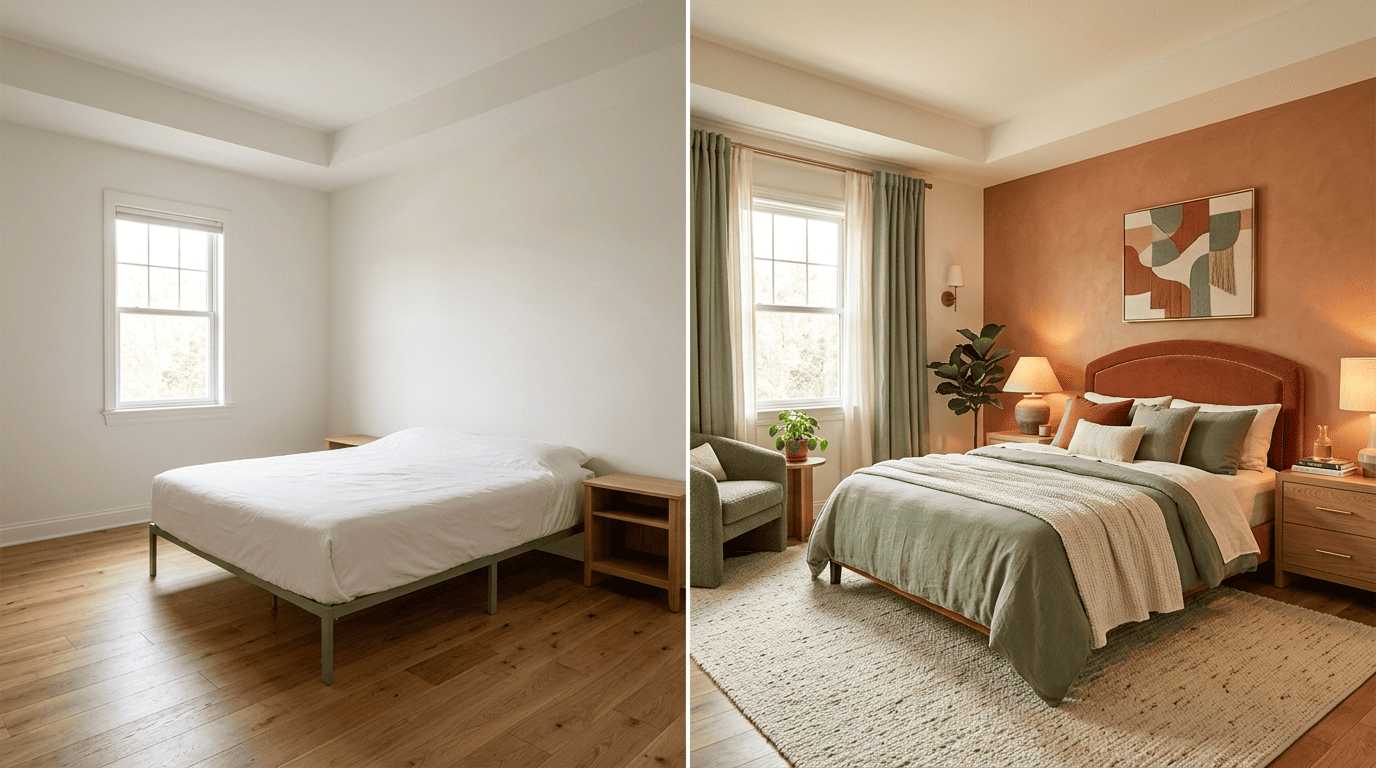
- Compare the before-and-after side by side.
- Refine the result or try a different style if needed.
What the AI is doing under the hood
The redesign runs on generative AI — specifically image-to-image models built on the same diffusion technology behind DALL-E (2021), Stable Diffusion (2022), and Midjourney (2022). Unlike traditional 3D or CAD software, these tools work directly from an ordinary photo or even a rough sketch, reading the room’s geometry, lighting, and materials, then repainting the scene in a new style while trying to keep the space believable. The result is under a minute from upload to a finished render, without any drafting software or design training.
What You Need: Getting a Great Result From One Photo
You only need one photo, but quality matters. A few habits separate a crisp, realistic redesign from a blurry or distorted one:
- Shoot in good natural daylight rather than dim artificial light.
- Hold the phone straight instead of tilting it up or down.
- Capture the whole room — walls, floor, and a sense of scale — not just a tight corner.
- Clear the frame of clutter so the AI reads the room’s shape correctly.
Clear, well-lit, straight-on shots give the AI the cleanest geometry to work with, which means a more realistic AI room design from a photo. Most tools then present the result as a before-and-after you can drag to compare, so you can judge the makeover against your real room side by side before committing to paint, furniture, or a full renovation.

Styles and Room Types You Can Redesign
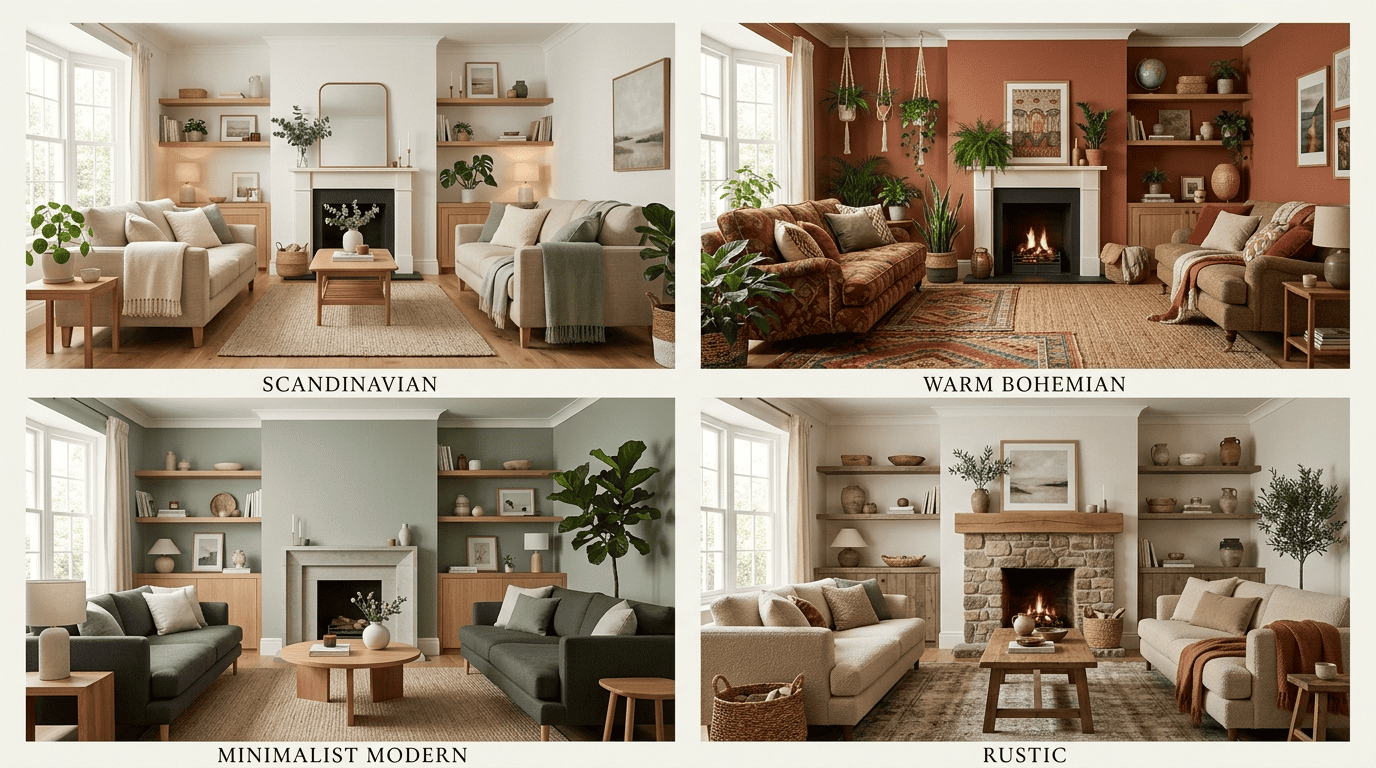
Style libraries are large — Decoratly offers 30+ curated styles and RoomsGPT advertises 61+ — spanning looks like these:
| Style | Typical look |
|---|---|
| Scandinavian | Light wood, neutral palette, minimal clutter |
| Minimalist | Clean lines, few objects, open space |
| Modern | Sleek furniture, bold contrasts, glass and metal |
| Industrial | Exposed brick, black metal, concrete textures |
| Bohemian | Layered textiles, plants, warm eclectic mix |
| Rustic | Reclaimed wood, natural stone, cozy tones |
| Art deco | Geometric patterns, brass accents, rich color |
| Tropical | Rattan, greenery, light airy fabrics |
You can also describe a custom style or clone the aesthetic from an inspiration image, and the same photo-to-design flow covers most rooms in a home:
- Living rooms and dining rooms
- Bedrooms and nurseries
- Kitchens and bathrooms
- Home offices
- Outdoor patios
Long before generative AI, designer William Morris summed up the same instinct that still guides interior design today — now applied instantly from a phone photo instead of years of trial and error.
Have nothing in your house that you do not know to be useful, or believe to be beautiful.
William Morris
Accuracy and Keeping Your Room’s Layout
Change the style, keep the bones
Good tools let you choose how far to go. Decoratly splits this into a Makeover mode (reimagines walls, floors, and furniture freely) and an Enhance mode (surgical changes that preserve structure), while ReimagineHome uses a «structural lock» to hold walls, windows, and ceiling lines in place. This is what makes the result feel like your room, restyled — not a random stock photo.
Where AI still slips
AI redesign is a visualization, not a measured plan. It can misjudge exact dimensions, invent furniture that is hard to buy, or add small artifacts, so treat the render as inspiration and a starting point rather than a construction drawing. Comparing a few generated versions of the same photo, side by side, usually makes it easy to spot which details are worth trusting.
Who AI Room Redesign Is For
Redesigning a real room photo — instead of imagining changes from scratch — removes the guesswork for several kinds of users, and it is worth trying our own redesign your room with AI tool to see how it fits your own space.
Homeowners and renters get a low-risk way to test ideas. For anyone deciding on a repaint, new furniture, or a full remodel, seeing the change on their actual room before buying anything is why RoomGPT reports over 4 million users and ReimagineHome over 2.1 million across 185+ countries, with more than 30 million designs generated.
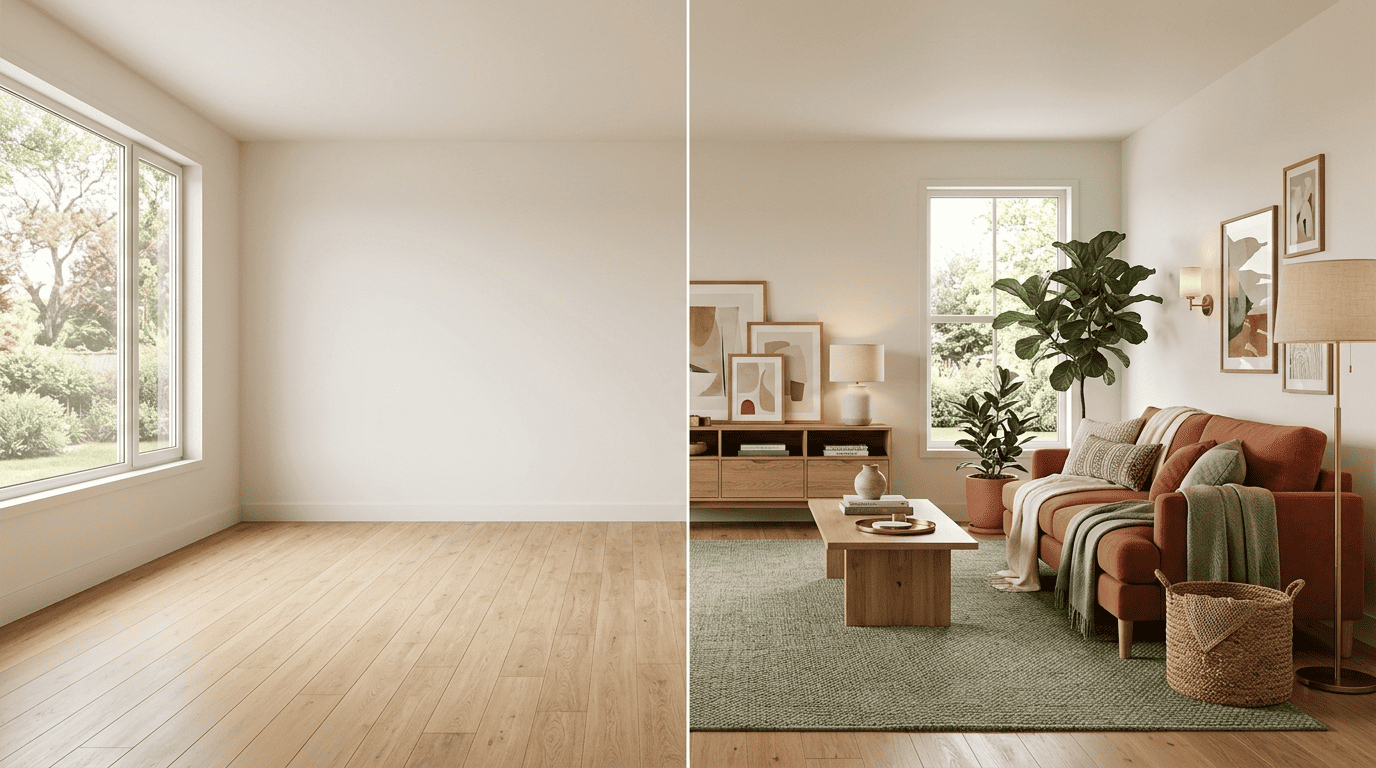
Realtors use it for virtual staging. Agents apply the same technology to empty listings: upload a bare room and the AI furnishes it into a listing-ready space, helping buyers picture the home before it changes hands — a practice the National Association of Realtors tracks as a standard part of modern listing preparation. Many tools also surface shoppable real products, turning a redesign into an actual shopping list from retailers such as:
- IKEA
- West Elm
- Wayfair
Free vs Paid: What You Get
Most tools have a free tier: a handful of starter credits or designs with no credit card required.
| Tool | Free tier | Paid plan |
|---|---|---|
| Decoratly | 2 free uploads | $3.99 / 24h, $14.99/mo |
| ReimagineHome | 5 free designs | Subscription unlocks unlimited renders |
| RoomsGPT | Daily free credits | Paid tiers for higher resolution and editing |
Paid plans, roughly $4 for a day pass up to about $15 a month, typically unlock unlimited renders, higher-resolution downloads, and full editing toolkits. Our own AI interior design assistant lets you start from a photo and refine by chat, free to try.
FAQ
Exploring more of your home? See our guides on AI virtual staging and free AI interior design tools.