
AI Virtual Staging: Furnish Any Empty Room From a Photo in Seconds
AI virtual staging turns a photo of a bare, empty room into a warm, fully furnished space in about 15 seconds — no rented furniture, no moving trucks. It is one of the most practical uses of AI virtual staging for anyone selling or listing a home, and it has become an increasingly common step in preparing vacant listings rather than a niche add-on.
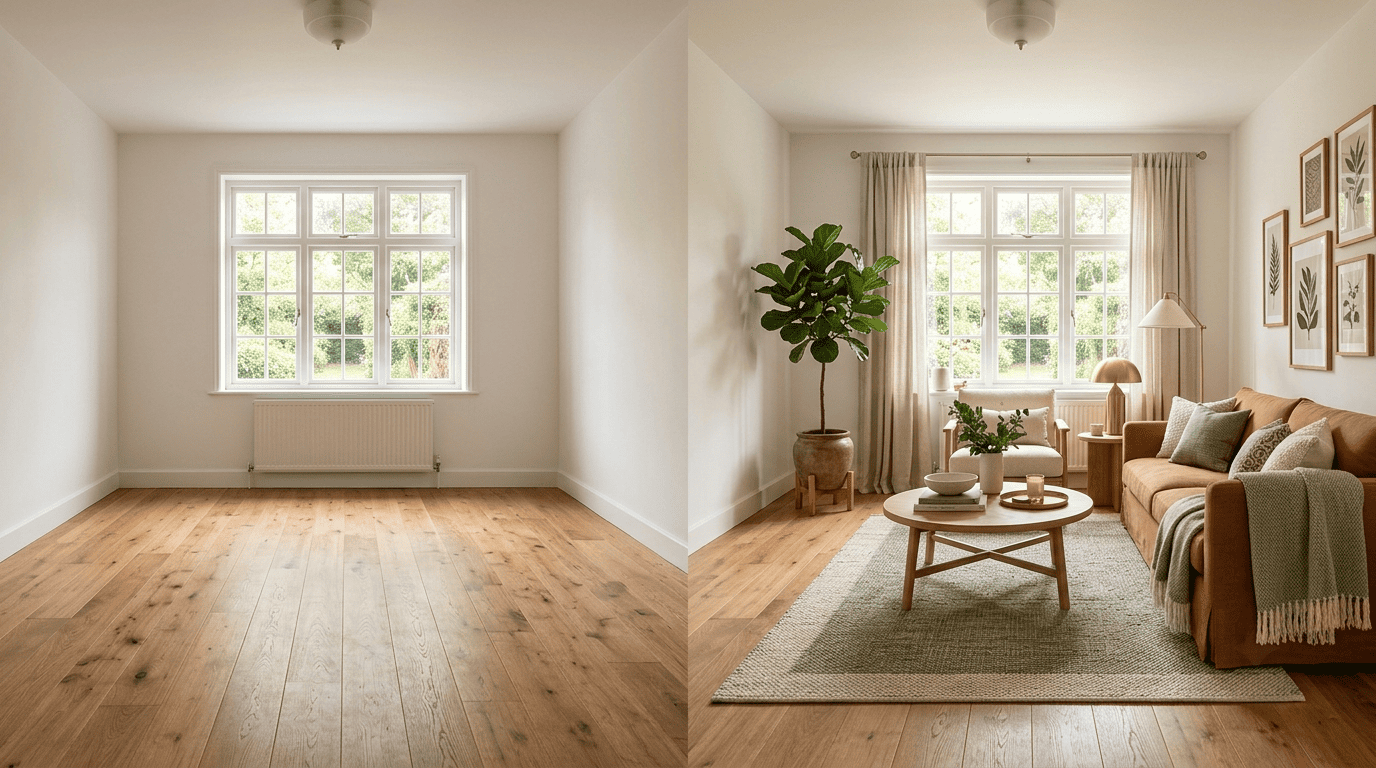
This guide covers how it works, what it costs versus physical staging, the styles you can apply, the disclosure rules you must follow, and how it affects how fast — and for how much — a home sells.
What AI Virtual Staging Is
AI virtual staging is the digital version of home staging: instead of physically moving furniture in, generative AI adds photorealistic furniture and decor to a photo of an empty (or cluttered) room, while keeping the room’s walls, windows, and layout untouched. Tools like Virtual Staging AI (built at the Harvard Innovation Labs) and Collov do this from a single uploaded photo, using the same class of generative artificial intelligence that powers modern image generators — trained to recognize a room’s geometry and light before it places anything in it.
From empty photo to furnished room
The input is always the same: one photo, taken on a phone, of an empty or lightly cluttered room. The output is a furnished version of that exact room — same wall color, same window placement, same flooring — with only the decor changed. That constraint is what separates AI virtual staging from a generic AI-generated interior: the room itself has to stay real, because a buyer or renter will walk into the same physical space.
Why it took off
Because it removes the cost and logistics of physical staging entirely, AI virtual staging has spread fast among real estate agents, photographers, and sellers-by-owner — Collov reports over 1 million home pros across 100+ countries, and ReimagineHome over 2 million users across 185+ countries, relying on it instead of scheduling a delivery truck and a stager’s day rate.

How AI Virtual Staging Works
The step-by-step flow
Every tool follows nearly the same path:
- Upload a photo of the room — furnished, empty, or cluttered all work.
- Choose a room type (living room, bedroom, kitchen, and so on) and a design style.
- Let the model generate the staged version.
- Review the result and regenerate if the furniture placement or style doesn’t fit.
- Download the finished image for the listing.
Virtual Staging AI and Collov return results in about 15 seconds; ReimagineHome takes around 60 seconds but lets you refine the output further with natural-language prompts, such as asking it to swap a sofa color or add a rug.
| Tool | Typical turnaround | Standout feature |
|---|---|---|
| Virtual Staging AI | ~15 seconds | Built at the Harvard Innovation Labs |
| Collov | ~15 seconds | 1M+ home professionals in 100+ countries |
| ReimagineHome | ~60 seconds | Natural-language prompt refinement |
Styles and room types
You can stage most room types in a range of design styles, and regenerate as many variations as you like at no extra cost. That flexibility matters for listings: an agent can send a buyer both a Scandinavian and a Farmhouse version of the same living room and let the photo do the persuading. Commonly supported room types include:
- Living rooms and family rooms
- Bedrooms, including primary suites
- Kitchens and dining rooms
- Home offices
- Outdoor and patio spaces
Popular styles span Modern, Midcentury, Scandinavian, Luxury, Coastal, Farmhouse, and Industrial, among others.

Virtual Staging vs Physical Staging: The Cost
Physical home staging is a real logistics job. A home stager coordinates furniture rental, delivery, placement, and pickup, and the market rate reflects that — often up to $3,000 a month, largely for rented furniture that has to be insured and moved twice. Traditional virtual staging, where a human designer edits the photo by hand, costs $50 or more per image. AI virtual staging cuts that to a few dollars per image on an entry plan — Virtual Staging AI, for example, starts around $16 a month for six images — and drops toward $0.24 per image on higher-volume plans.
| Staging method | Typical cost | Turnaround | Who does the work |
|---|---|---|---|
| Physical staging | Up to $3,000/month | Days (delivery + pickup) | Professional stager + movers |
| Traditional virtual staging | $50+ per image | 24-48 hours | Human designer |
| AI virtual staging | From $0.24 per image | ~15-60 seconds | Generative AI model |
That price and speed gap is the whole reason the AI virtual staging category exists — it lets an agent stage every empty room in a listing, not just the one or two rooms a physical staging budget would normally cover.
More than furniture
Beyond adding furniture, most AI virtual staging tools bundle a handful of other edits that used to each need a separate vendor:
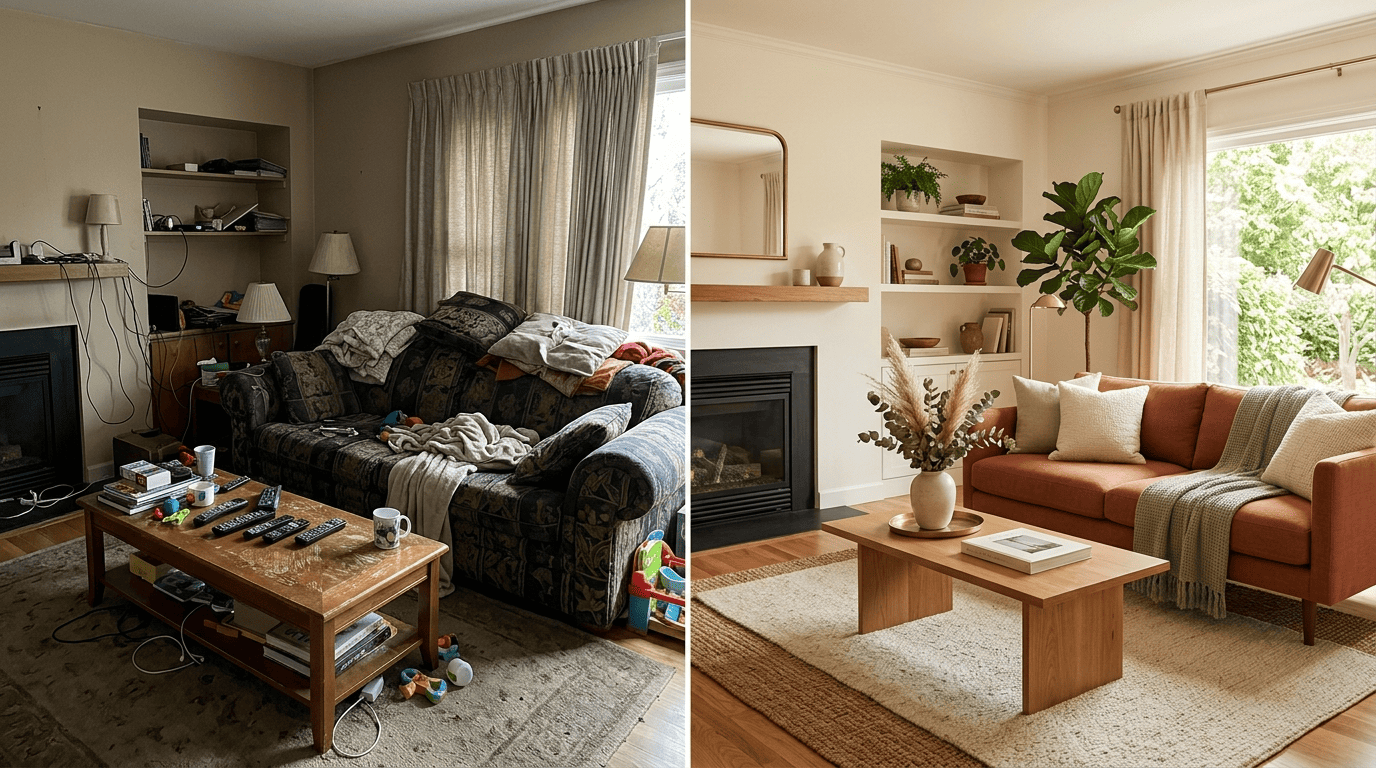
- Furniture removal and decluttering — strip an occupied room back to empty before restaging it.
- Flooring and wall-finish swaps — preview new flooring or paint without touching the actual house.
- Twilight conversion — turn a flat daytime exterior shot into a warm dusk photo.
A listing photo that used to need a photographer, an editor, and a stager working separately can now come from one upload.
Does Virtual Staging Help a Home Sell?
Staging measurably changes how a listing performs. Research cited by Wikipedia finds staged homes sell one-third to one-half faster and can fetch 6-20% more than an empty home, largely because buyers struggle to picture themselves in a bare room. For AI virtual staging specifically, data from Collov cited by the National Association of Realtors shows a 72% increase in online traffic, roughly 22% higher sale prices, and up to 36% less time on the market.
Buyers’ agents back this up directly. Around 83% of buyers’ agents say staging helps buyers picture a property as their home — a number that shows up consistently across NAR’s annual profile of home staging.
Why empty rooms struggle
An empty room reads as smaller and colder in photos and gives buyers no sense of scale — there’s nothing in the frame to measure a couch or a bed against. A warmly furnished photo helps them imagine living there, which is exactly what AI home design staging delivers before a single piece of furniture is physically moved.
Disclosure and Ethics: Label Your Staged Photos
Virtual staging is legal and widely accepted in the real estate industry, but it must be honest. The National Association of Realtors Code of Ethics, Article 12, requires agents to present a «true picture» of a listing in their marketing, which means any virtually staged listing photo has to be clearly labeled «virtually staged» or «virtually enhanced» on the MLS and on portals like Zillow. As the National Association of Realtors puts it in its own guidance on the category:
Therefore, make sure listing photos that have been virtually staged are clearly labeled as such.
National Association of Realtors
The rule exists so a buyer touring the property in person isn’t surprised by an empty room they thought had furniture in it.
Never use staging to hide a defect — the point is to add furniture to a genuinely empty room, not to paint over a cracked wall or disguise water damage. Doing the latter crosses from staging into misrepresentation, which is a Code of Ethics violation, not just a bad look. A quick compliance check before a photo goes live:
- The room’s real walls, windows, and layout are untouched.
- No structural defect or damage has been covered up.
- The MLS listing and photo caption both say «virtually staged.»
- Any syndicated portal (Zillow, Realtor.com) carries the same label.
Who Should Use AI Virtual Staging
Real estate agents are the core audience — it makes a vacant listing photograph like a lived-in home for a fraction of the cost of physical staging, across every room in the house instead of just the living room and primary bedroom a limited budget would normally cover. But the same tools help several other groups:
- FSBO sellers listing a home without an agent, who still need listing photos that compete with staged homes nearby.
- Rental and property managers turning over vacant units between tenants.
- Real estate photographers who want to offer staged images as an add-on service without renting furniture themselves.
- Interior designers showing a client what an empty space could become before any purchase decisions are made.
Homeowners use the same AI interior design tools for a different reason: not to sell, but to make confident furniture and layout decisions in their own empty or newly renovated room before they buy anything.
FAQ
Exploring more of your home? See our guides on free AI interior design tools and AI vs a human interior designer.