
AI Interior Design vs an Interior Designer: Which One Should You Actually Use?
The short answer is that AI interior design and a professional interior designer aren’t really competing for the same job — AI wins on price and turnaround, a human wins on execution and anything structural. Increasingly, the smartest move isn’t picking a side at all but combining the two.
This guide breaks the comparison down by cost, speed, quality, and what each one is actually built to handle, drawing on how the interior design profession itself is defined, so you can match the right approach to your specific room and budget instead of guessing.
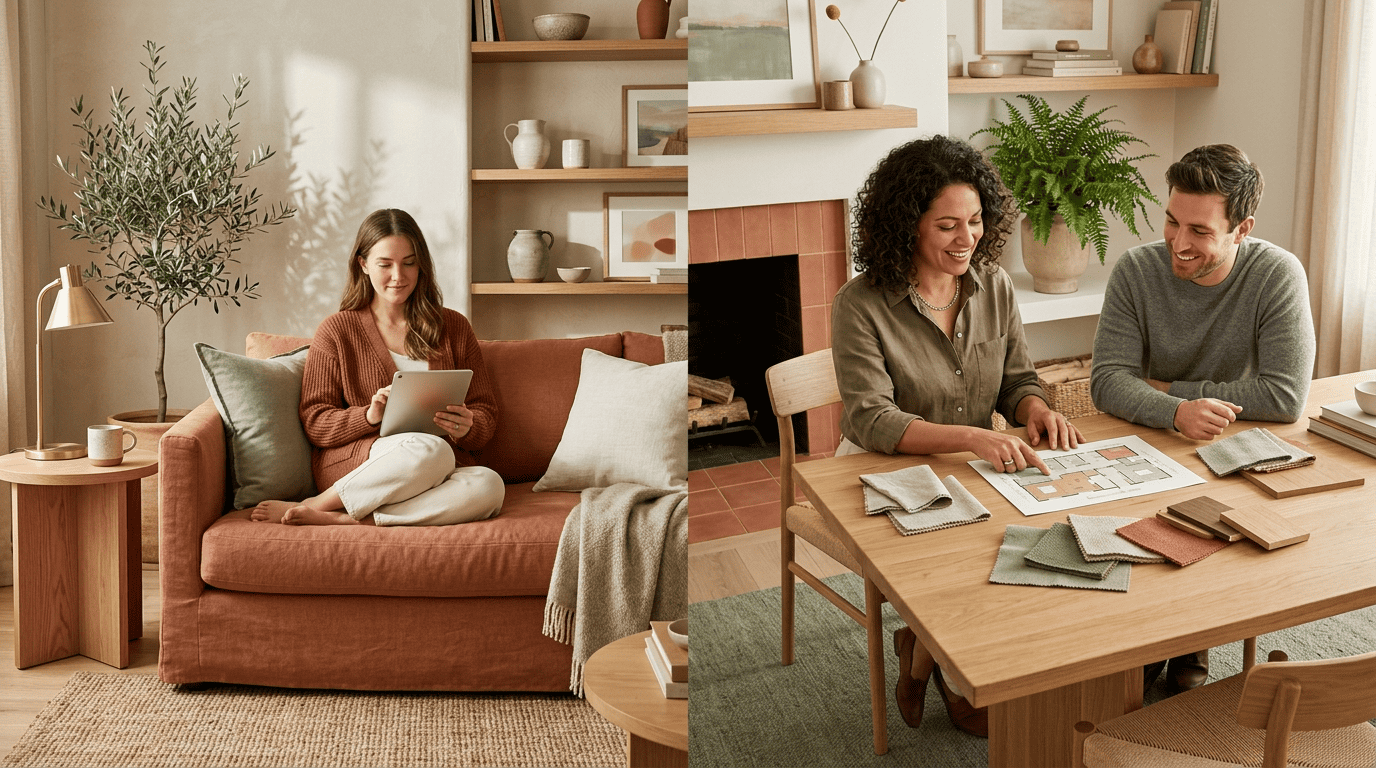
The Short Answer: Different Tools, Not a Replacement
AI and a human designer solve different halves of the same problem. An AI room design tool generates a polished visual concept in minutes for next to nothing, while a designer takes that concept — or one of their own — and turns it into a finished, livable space. Roughly a third of design businesses (31%, per Houzz’s 2025 State of AI in Construction and Design survey) already use AI somewhere in their workflow, mostly for early-stage moodboards and visuals rather than final execution. None of that adds up to AI replacing the job; it adds up to AI becoming one more tool in it.
The big picture
| AI interior design tool | Professional interior designer | |
|---|---|---|
| Best at | Fast visual concepts, style exploration | Execution, structural decisions, sourcing |
| Typical cost | $0-$20/month | $150-$500 consult, $100-$300/hour |
| Typical turnaround | 5-30 minutes | 8-20+ weeks to final concept |
| Handles building codes | No | Yes |
| Sources real, buyable furniture | Rarely | Yes |
Every review that compares the two lands in roughly the same place: an AI interior designer is a source of ideas, not a substitute for the person who has to make the room actually work.
Cost: Where AI Wins Big
Money is where the gap between AI room design and hiring a person is widest, and it isn’t close.
AI pricing
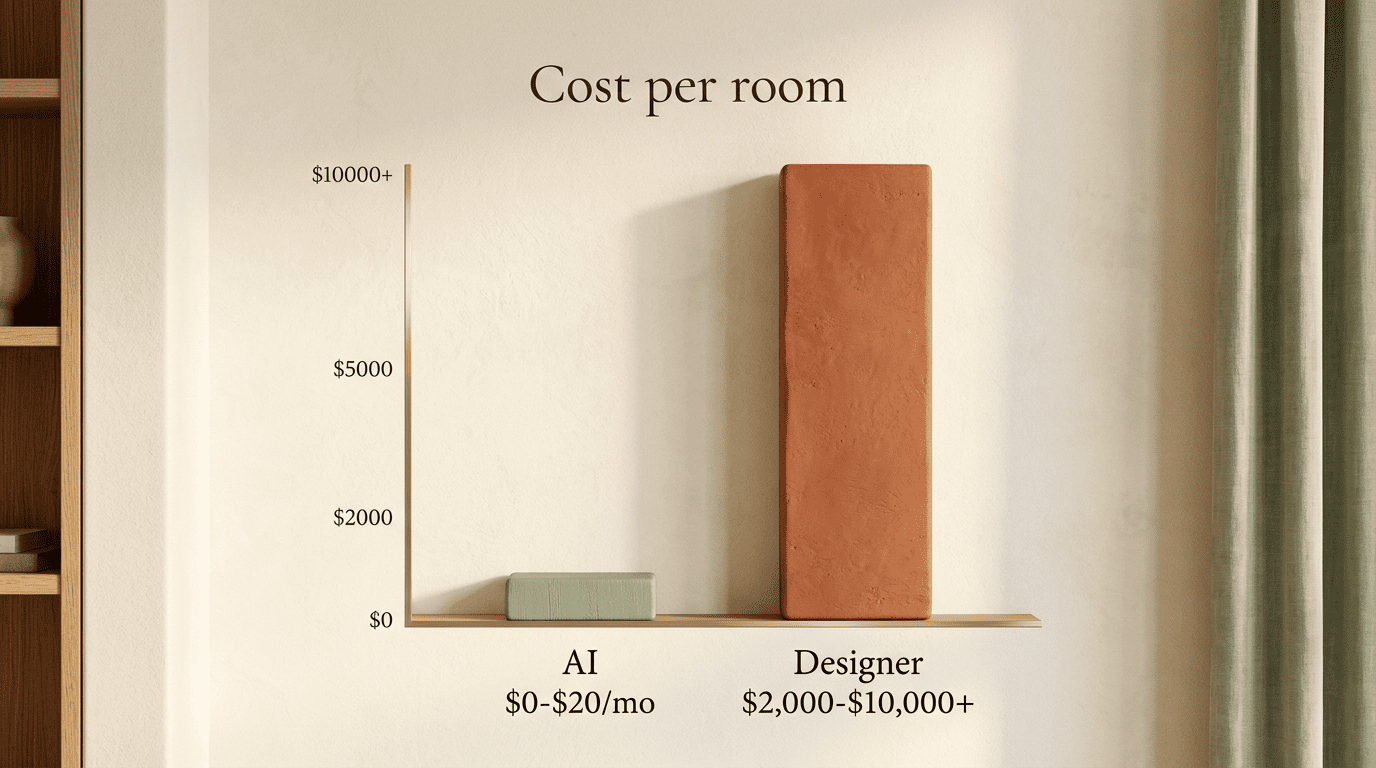
AI interior design tools typically run $0-$20 a month, which works out to roughly $0-$60 a year if you’re only redesigning one or two rooms. Most platforms offer a genuine free tier to start, and a common paid plan lands around $12.99/month for unlimited or near-unlimited renders. What that low price buys you usually includes:
- Unlimited or near-unlimited photo-to-render generations
- Multiple style options per room (modern, coastal, minimalist, and so on)
- A basic shopping list linked to the generated render
- No commitment beyond a monthly subscription you can cancel anytime
Designer pricing
A professional interior designer charges very differently. A first consultation alone runs $150-$500. Hourly rates sit at $100-$300. A full room project — furniture, layout, sourcing, installation — typically costs $2,000-$10,000 or more, and a full-service design firm handling an entire home can run $10,000-$100,000+. Do the math across those ranges and AI interior design tools come out roughly 5 to 50 times cheaper than hiring a designer for the same room.
Speed: Minutes vs Months
Turnaround is the second place AI dominates outright. An AI interior design tool produces a finished concept in 5-30 minutes, sometimes closer to an hour if you’re testing multiple styles. A human designer’s process moves at a completely different pace — 8-20+ weeks just to land on a final concept, and 3-12 months from first sketch to a fully installed room once sourcing, ordering, and contractor scheduling are factored in.
The gap is roughly 10-20x, not a marginal difference. If you need to see options tonight — before a lease renewal, an open house, or a weekend project — AI is functionally the only option that fits the timeline.
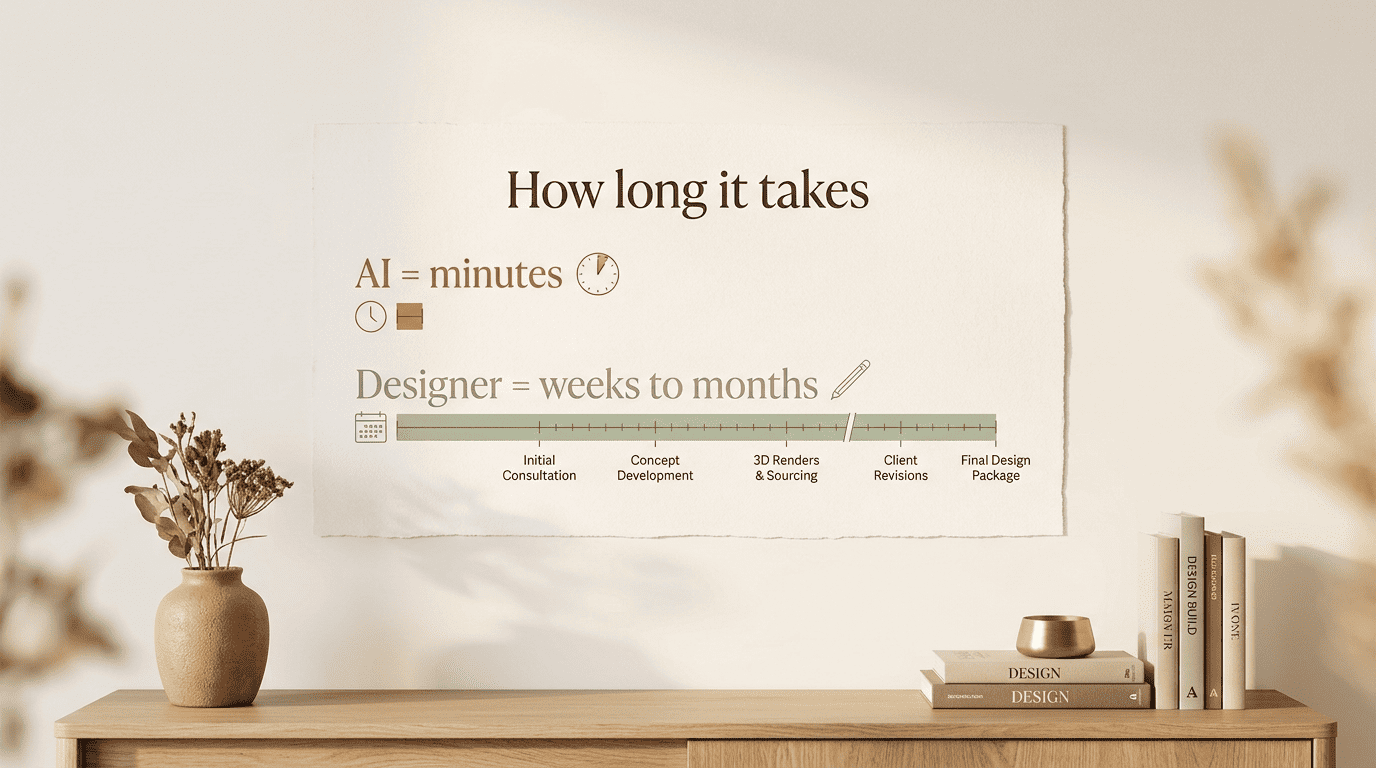
Speed comes with a trade-off, though. A fast AI render skips the site visit, the measuring, and the back-and-forth that a designer uses to catch problems before they become expensive ones.
Quality and Accuracy: Aesthetics vs Execution
AI interior design tools have gotten genuinely good at aesthetics. Most rely on generative AI image models, and independent testing across popular apps puts real-world usability at around 70-85% — meaning most suggestions are things you could actually act on, not just pretty pictures. That’s a meaningful jump from where these tools stood even a couple of years ago.
To best serve clients and communities, designers must understand how broader societal shifts are influencing the way people live, work, and connect.
Khoi Vo, CEO, American Society of Interior Designers
What AI does well
An AI interior design tool is strong at ideation — proposing color palettes, layout concepts, and styles you might not have considered, and doing it across as many variations as you want to generate. The most common failure mode is getting the style right while getting scale and proportion wrong: furniture that looks correct in the render but wouldn’t physically fit, or textures — bedding is a frequent offender — that read as slightly unreal up close.
What designers do well
A professional interior designer earns their fee on execution. They source furniture that is actually in stock and buyable, confirm it fits both the room’s dimensions and the client’s budget, take real measurements, and manage the project through to installation. That verification step — does this piece exist, does it fit, does it ship — is exactly what current AI tools don’t check.
What Each Can (and Can’t) Do
Some limitations aren’t about how «smart» the tool gets next year — they’re about what AI can access at all.
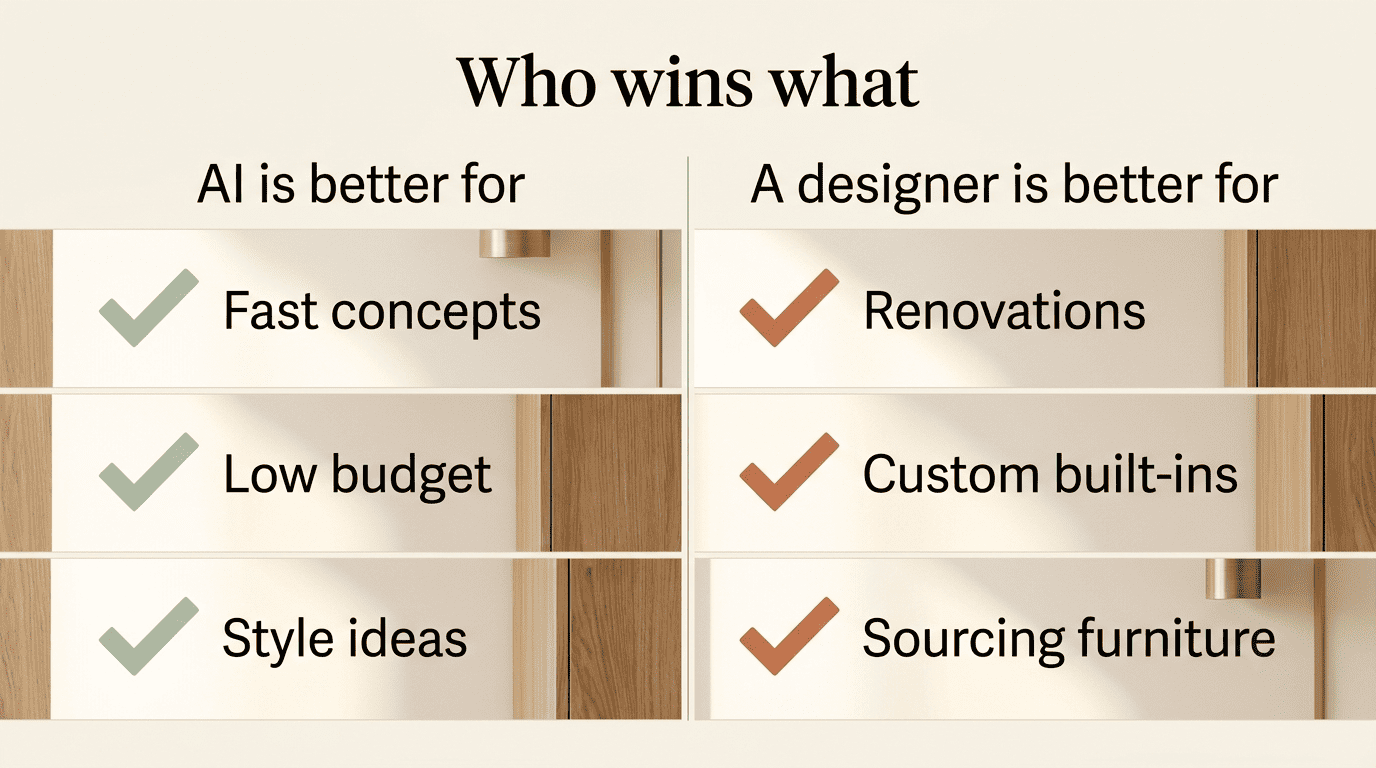
Where AI hits its limits
An AI interior design tool runs into the same wall every time it faces the physical building:
- Can’t confirm whether a wall is load-bearing
- Can’t assess what removing a partition would do to HVAC or wiring
- Can’t check a renovation against local building codes
- Can’t feel a fabric swatch or judge a wood finish in person
- Doesn’t manage contractors or coordinate delivery timelines
- Can’t design a custom built-in that has to fit an irregular alcove to the millimeter
Where a human is irreplaceable
A designer brings things to the table that no chatbot or render engine currently replicates:
- Holding an actual conversation about what you want and why
- Adjusting the plan mid-project when budget or taste shifts
- Factoring in cultural context and a family’s day-to-day habits
- Staying accountable for the finished result — from first sketch to the last piece installed
That accountability is the thing no AI room design tool currently offers.
When to Use AI vs When to Hire a Designer
Matching the tool to the project matters more than picking a «winner» between the two.
| Your scenario | Best fit |
|---|---|
| Refreshing a rental you can’t renovate | AI interior design |
| Testing several styles before committing | AI interior design |
| Full renovation or layout change | Interior designer |
| Custom or built-in furniture | Interior designer |
| Historic home or luxury project | Interior designer |
| Coordinating a whole-home look with contractors | Interior designer |
| Want fast ideas, then reliable execution | Hybrid (AI + designer) |
Choose AI when you need a fast, low-stakes refresh. A rental you can’t renovate, a tight budget, or simply wanting to test five different styles before committing to one — all of these are exactly what an AI interior design tool is built for, and you’ll typically walk away with a shopping list within the hour.
Hire a designer when the project touches the building itself. A full renovation, a layout change, custom or built-in furniture, a luxury or historic property, or any project that needs the whole home to feel coordinated and needs a contractor managed from start to finish — that’s designer territory, not AI territory.

Consider a hybrid when you want both speed and reliability. Many homeowners now run both: AI interior design generates the initial ideas and color direction fast and cheap, and a designer takes the strongest concept and turns it into something real. Some firms, including Decorilla, now package AI-assisted concepting and human execution together as a single e-design service, which is a good sign that this hybrid model is becoming the industry default rather than a workaround.
How to decide in practice
- Define the scope first. A single room refresh points toward AI; anything touching walls, plumbing, or electrical points toward a designer.
- Set a real budget. Under a few hundred dollars generally rules out a full designer engagement.
- Check your timeline. Need it this week? AI. Have three to twelve months? Either is viable.
- Try an AI room design tool first, regardless. Even projects headed for a designer benefit from a cheap, fast starting concept to bring to that first consultation.
- Ask if structural work is involved. If the answer is yes at any point, bring in a licensed professional before doing anything else.
- Decide if you want one result or ongoing flexibility. AI lets you regenerate endlessly for pennies; a designer commits you to a plan.
- Default to hybrid if you’re unsure. Use AI to explore, then hand the winning concept to a designer for the parts AI can’t verify.
FAQ
Exploring more of your home? See our guides on how much AI interior design costs and planning a room layout.