
Free AI Interior Design Tools: The Best Free Ways to Redesign Any Room in 2026
Yes — there are genuinely free AI interior design tools that turn a photo of a tired or empty room into a styled render in seconds, no design degree or software required. The catch is that «free» means different things from one tool to the next, and this guide breaks down exactly what each one gives you before you sign up.
Below, you’ll find which tools are actually free (not just advertised that way), what their free tiers really include, and where the limits — credits, watermarks, resolution caps — tend to hide.

How Free AI Interior Design Tools Actually Work
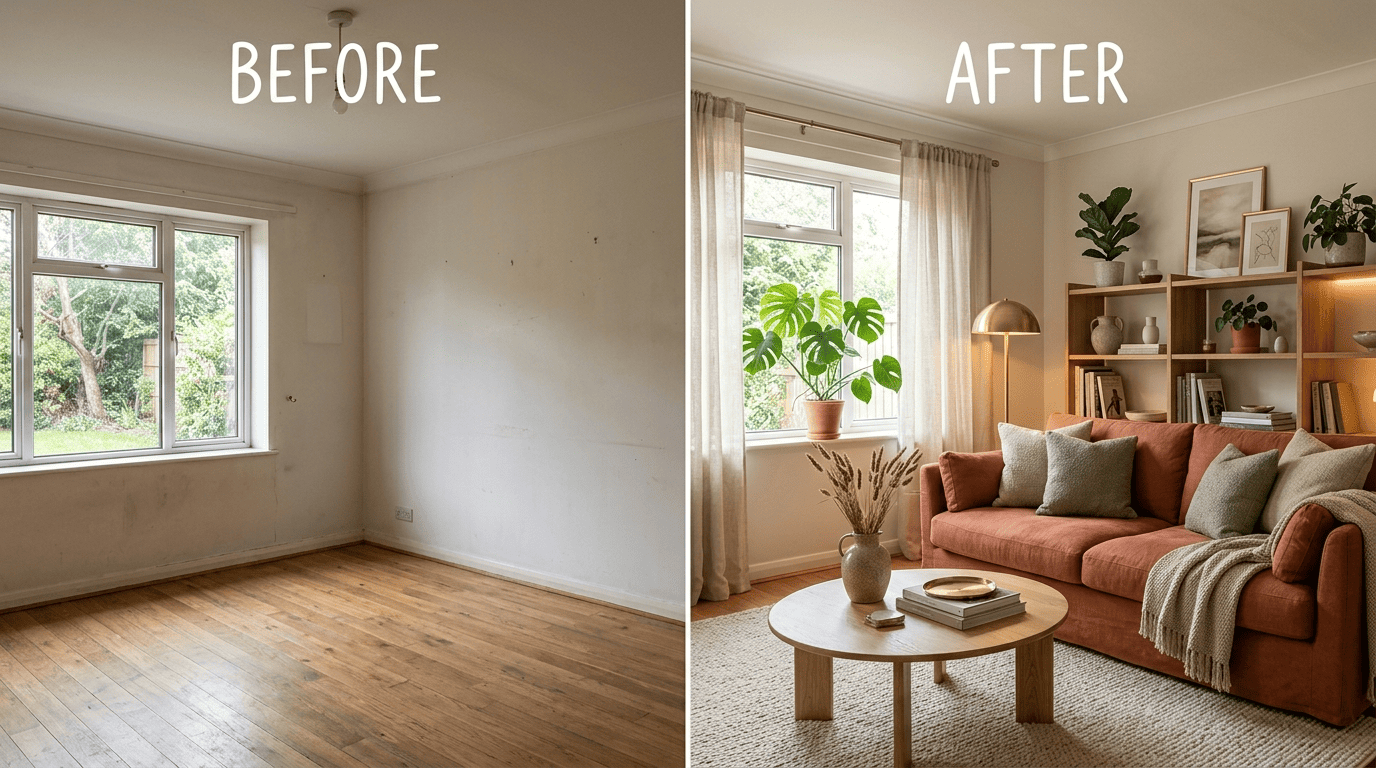
Every free AI interior design tool runs on the same basic loop: you give it a photo, it hands back a photorealistic room render built by a generative AI model. The underlying technology is a diffusion model working image-to-image — the AI reads the geometry, light, and layout of your room, then repaints it in a new style while trying to keep the space believable. No 3D modeling, no CAD skills, no waiting on a human designer’s calendar.
Photo in, redesign out
The standard flow across nearly every AI room design generator is the same four steps: upload a photo of the room, tell the tool what kind of space it is (living room, bedroom, kitchen), pick a style preset, and receive a finished render. Spacely AI turns most renders around in under 60 seconds, while Interior AI generates a redesign in about 15 seconds, with resolution options running up to 8K on higher tiers. Both rely on the same class of diffusion model that also powers general-purpose image generators.
Styles and presets
Style libraries are where these AI interior designer tools differentiate themselves. RoomGPT ships around 20 style descriptors drawn from established interior design traditions, while Interior AI offers anywhere from 20 to more than 40 styles depending on the room type. Common presets across the major tools include:
- Modern and minimalist
- Scandinavian
- Industrial
- Coastal
- Bohemian and mid-century
Independent testers typically run the same controlled experiment to compare tools fairly: one photo of an empty room, one style (usually Scandinavian), pushed through every generator side by side so the outputs can be judged on equal footing.
Which AI Interior Design Tools Are Actually Free
Not every tool that says «free» on its homepage gives you a usable free plan. Here’s how the free tiers actually compare once you look past the marketing copy.
| Tool | Free tier | Watermark | Paid plan starts at |
|---|---|---|---|
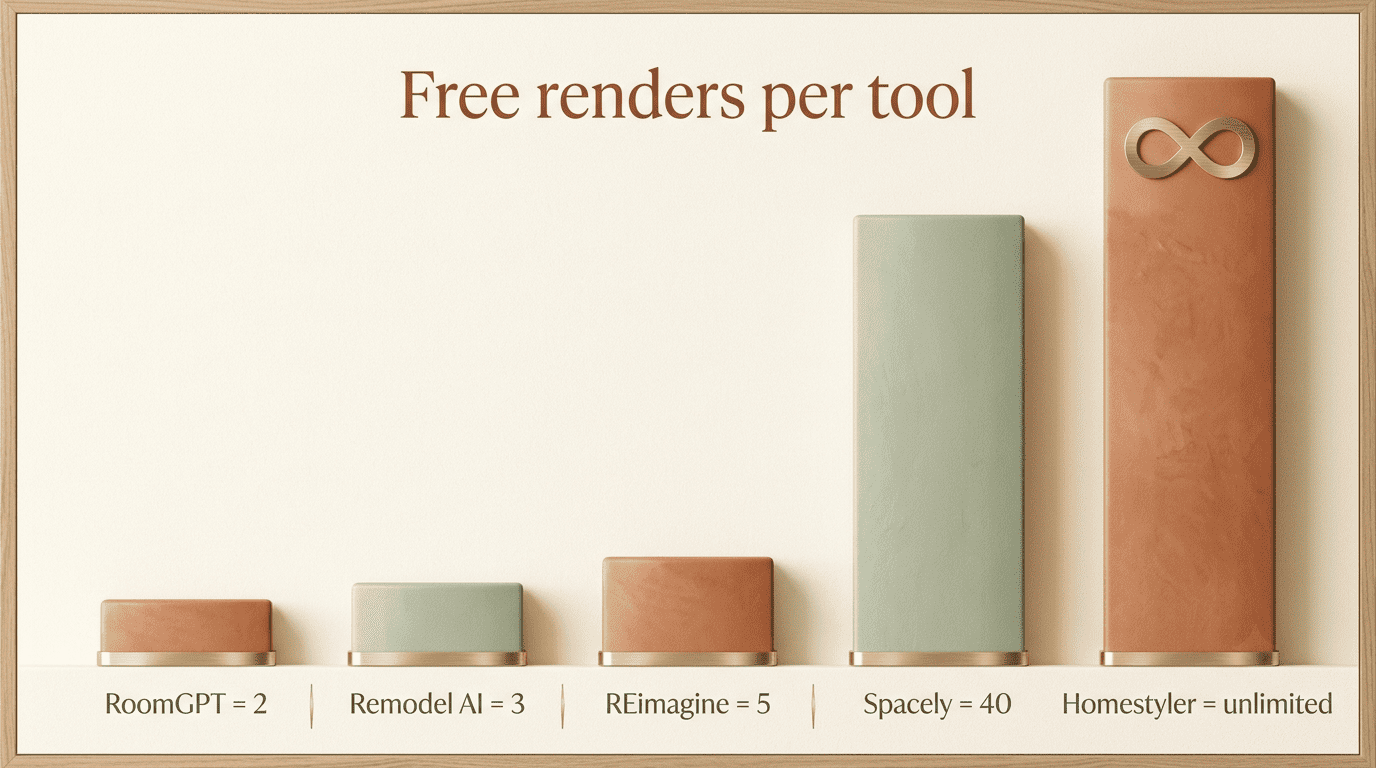
| Homestyler | Unlimited 1K renders | Yes | $6.80/mo |
| Spacely AI | 40 trial credits, no card | No | $12.75/mo |
| RoomGPT | 1-2 free generations | Varies | $9-29/mo |
| Interior AI (mnml.ai) | Free plan with basic credits | Yes | $29/mo |
| REimagine Home | 5 free designs | Yes | $14-99/mo |
| Remodel AI | 3 free designs (mobile app) | Yes | $29-99/mo |
The genuinely free options
Homestyler is the most generous of the group on volume — it offers unlimited free 1K-resolution renders (with a watermark, removed only on paid plans) and pairs them with access to a large catalog of 3D furniture models from real brands, so a redesign can double as a shopping list. Its Pro+ tier starts at $6.80/month for watermark removal, higher resolution, and extra features.
Spacely AI gives new users 40 trial credits with no credit card required, no watermark, and full access to the platform’s features — a rarity among free-tier AI room planners. It has built a base of over 580,000 users; paid plans start at $12.75/month (billed annually).
RoomGPT is used by more than 4 million people for one-photo redesigns, though its free allowance is thin — typically one or two free generations before plans starting at $9/month kick in.
Interior AI (mnml.ai) offers a $0 free plan with a limited number of starter credits; its Pro tier runs $29/month and unlocks resolutions up to 8K.
REimagine Home‘s free tier hands out 5 free designs, with paid plans ranging from $14 to $99 per month depending on volume.
Remodel AI takes a different approach, offering 3 free designs inside its mobile and web app before asking users to upgrade to plans starting at $29/month.
Free tools with real limits
Planner 5D is free only in a limited sense — full AI-powered design features are locked behind its $4.99/month paid tier, so the free version leans more toward manual planning. Canva AI Interior Styler lives inside Canva itself and needs a Canva plan or credit balance to unlock full AI rendering, which means it isn’t a standalone free AI room design generator so much as an add-on feature.
The Catch: Understanding Free-Tier Limits
Credits, watermarks, and resolution are the three levers. Nearly every free plan restricts one of the three: how many times you can generate a render, whether that render carries a visible watermark, or how large and sharp the final image comes out. Spacely stands out as one of the few watermark-free free plans on the market, while Homestyler trades unlimited generations for a resolution cap of 1K.
Generative artificial intelligence (GenAI) is a subfield of artificial intelligence (AI) that uses generative models to generate text, images, videos, audio, software code or other forms of data.
Wikipedia — Generative artificial intelligence
Understanding those three levers before you commit a photo to any single tool saves a round of disappointment later — a watermark-free render is worth little if you only get one shot at it, and unlimited generations matter less if every image comes out too small to actually use.
«Free» that isn’t free — a real subtlety to watch for
Some services advertise «try for free» or «no credit card required» prominently on their homepage, only for the actual pricing page to start well above zero. Home Visualizer AI is a clear example: its landing page invites visitors to try free, but its /pricing page begins at a Starter plan of $19/month for 100 renders — there’s no free tier listed at all. Before creating an account anywhere, it’s worth clicking through to the pricing page directly rather than trusting the homepage copy.
How to Test a Free Tool Before You Commit
- Pick one clear, well-lit photo of the actual room you want redesigned.
- Visit the tool’s /pricing page first, not just its homepage, to confirm a free tier actually exists.
- Sign up and check whether a credit card is required before you get any free credits.
- Upload the photo and select a single style to keep the comparison consistent.
- Check the result for a watermark and note the maximum resolution offered.
- Count how many free credits or generations remain after that first render.
- Repeat with a second tool on the same photo and style to compare outputs directly.
Which Free Tool to Pick for Your Project
The right free AI interior design assistant depends less on which tool is «best» overall and more on what you’re trying to get out of it — a quick mood check, a client-ready render, or a full furniture plan.
Best free pick by use case
- Fast one-room before-and-after from a single photo — RoomGPT, REimagine Home, or Home Visualizer.
- Many renders without paying, plus real furniture to shop — Homestyler.
- A clean, watermark-free render to show a client — Spacely AI, with its 40 free credits.
- Full layout and furniture placement with a 2D/3D floor plan — Planner 5D.
| Your goal | Best free tool | Why |
|---|---|---|
| Quick before-and-after from a photo | RoomGPT | Fastest turnaround, 4M+ users |
| Volume without paying | Homestyler | Unlimited free 1K renders |
| Client-ready, no watermark | Spacely AI | 40 credits, watermark-free |
| Full floor plan and furniture layout | Planner 5D | 2D/3D planning tools |
| Outdoor and landscaping | REimagine Home | Covers exteriors, not just rooms |
Getting the best free result
Output quality depends heavily on the input photo and on how the style preset is chosen. A few habits make the biggest difference:
- Shoot with even, natural lighting rather than harsh overhead light.
- Frame the room straight-on instead of at an angle.
- Clear obvious clutter from the shot before uploading.
- Pick one specific style instead of a vague mood.
A smart way to spend limited free credits is to run the same photo through two or three AI interior design tools with the same style before deciding whether any paid plan is worth it.
FAQ
Exploring more of your home? See our guides on AI vs a human interior designer and how much AI interior design costs.